

DOMShot
3 ratings
)
Overview
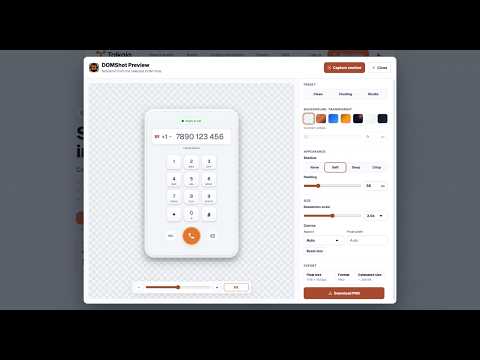
Select any visible DOM element and export it as a clean or styled PNG.
DOMShot lets you capture individual elements from any web page without taking a full-page screenshot or manually cropping an image. Click the extension, select a visible element on the current page, and export it as a PNG. It is useful for designers, developers, writers, QA teams, and anyone who needs clean UI captures for documentation, bug reports, visual references, or presentations. Features: - Select a visible DOM element directly from the page - Export the selected element as a PNG - Capture clean or styled versions of page elements - Save images locally through Chrome - No account required DOMShot runs locally in your browser. It does not upload screenshots or page content to a remote server.
5 out of 53 ratings
Details
- Version1.0.2
- UpdatedAugust 20, 2026
- Offered byRuben
- Size87.9KiB
- LanguagesEnglish
- Developer
Email
me@rubenruiz.dev - Non-traderThis developer has not identified itself as a trader. For consumers in the European Union, please note that consumer rights do not apply to contracts between you and this developer.
Privacy

DOMShot has disclosed the following information regarding the collection and usage of your data. More detailed information can be found in the developer's privacy policy.
DOMShot handles the following:
This developer declares that your data is
- Not being sold to third parties, outside of the approved use cases
- Not being used or transferred for purposes that are unrelated to the item's core functionality
- Not being used or transferred to determine creditworthiness or for lending purposes
Support
For help with questions, suggestions, or problems, please open this page on your desktop browser