


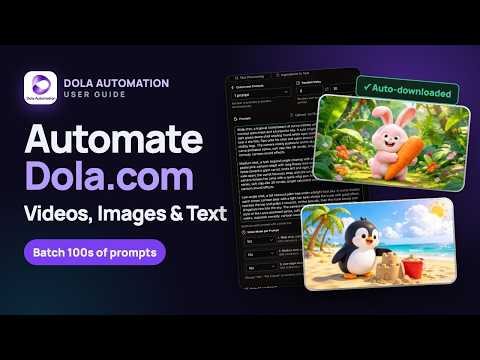
Overview
Auto Dola for your prompts at scale. Batch generate and auto-download responses and images on dola.com.
Dola Automation is an Auto Dola tool built to fully automate your workflow on Dola (dola.com/chat). No more manually typing prompts one by one — let Dola run automatically. This extension turns Dola into a batch-processing powerhouse, allowing you to auto-submit prompts, batch-generate AI text, images, and videos, and auto-download results at scale. 🔥 What Dola Automation does • Auto Dola prompts continuously without manual interaction • Batch generate AI videos, images, and text responses • Automatically download results with smart file naming and folder organization • Handle long prompt queues safely with smart random delays and auto-retries 🚀 Key Features 🤖 Auto Dola Batch Processing Queue dozens or hundreds of prompts and let Dola Automation automatically: • Submit prompts to Dola • Wait for generation to complete • Auto-download generated media • Move to the next prompt No clicks. No babysitting. 🎬 Text to Video Generation • Batch-create full AI videos directly from text prompts • Supported aspect ratios: 16:9 (YouTube), 9:16 (Shorts/Reels), 1:1 (Square), 2:3 (Portrait), 3:2 (Landscape) • Concat mode: chain prompts together to produce sequential, multi-part video scenes 🎞️ Frame to Video & Ingredients to Video • Frame to Video: Turn static images into dynamic AI videos using Start and End frames • Ingredients to Video: Feed multiple component images and UI assets into video prompts • Auto-add character images based on prompt text and filename matching 🖼️ Text to Image Generation • Generate multiple image variations in one automated run • Customizable aspect ratios (16:9, 9:16, 1:1, 2:3, 3:2) and output counts per prompt • Fast automated workflow for high-volume asset creation 🎨 Image to Image Transformation • Batch transform, enhance, and restyle images using AI prompts • Chain mode: automatically use the previous generated image as input for the next prompt • Multi-image reference support per prompt ✍️ Text Processing & Ingredients to Text • Automate bulk text generation and chat prompts • New Chat vs. Current Chat (Concat) modes to maintain or reset conversation context • Ingredients to Text: Upload reference images and analyze/process them in bulk 📑 Flexible Prompt Import & Range Execution • Multi-line prompt pasting separated by blank lines • Upload prompt files directly: `.txt`, `.xlsx`, or `.csv` spreadsheet files with custom sheet and column selection • Range execution: choose to run specific prompt ranges (e.g., prompt 10 to 50) ⚙️ Professional Automation Controls • Smart Random Delay System to avoid rate limits and simulate natural usage • Configurable min/max delay between prompt runs • Max Retries on failure — automatically retry failed prompts without stopping the queue • Auto Download with configurable quality settings (720p for video, 1K for images) 📊 Real-time Queue Monitoring • Live prompt queue inside the Chrome Side Panel • Per-prompt status tracking: Queued ➔ Running ➔ Completed / Retrying / Error • Delay countdown timer and retry counter per prompt • One-click action logs and cookie clearing for smooth sessions 📂 Auto File Organization • Downloads are automatically sorted into dedicated project folders • Clean auto-file renaming based on sanitized prompt content 🌐 Multi-language Support • English • Vietnamese (Tiếng Việt) • Chinese (中文) • Korean (한국어) • Japanese (日本語) • Spanish (Español) • German, French, Portuguese, Russian, and more ✅ Perfect for • AI video creators and digital storytellers • Content creators, YouTubers & Short-form video producers • AI artists and visual designers • Automation & productivity enthusiasts • Anyone who wants to Auto Dola at scale
5 out of 529 ratings
Details
- Version1.1.0
- UpdatedNovember 3, 2026
- Size998KiB
- LanguagesEnglish
- Developer
- Non-traderThis developer has not identified itself as a trader. For consumers in the European Union, please note that consumer rights do not apply to contracts between you and this developer.
Privacy

Dola Automation - Auto Dola on Dola.com has disclosed the following information regarding the collection and usage of your data. More detailed information can be found in the developer's privacy policy.
Dola Automation - Auto Dola on Dola.com handles the following:
This developer declares that your data is
- Not being sold to third parties, outside of the approved use cases
- Not being used or transferred for purposes that are unrelated to the item's core functionality
- Not being used or transferred to determine creditworthiness or for lending purposes
Support
For help with questions, suggestions, or problems, please open this page on your desktop browser