


Tổng quan
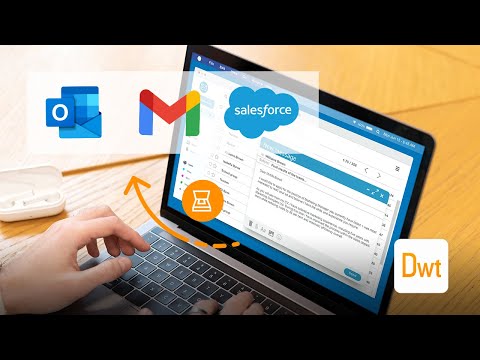
Scan documents on web pages and directly save them as attachments or images in web apps like Gmail, Outlook and Salesforce.
The extension enables scanning documents on web pages and directly save them as attachments or images in web apps like Gmail, Outlook and Salesforce. A scanner modal will appear after pressing the scanner icon added by the extension in the toolbar of supported web apps. 1. Is the Document Scanner available for free? It is free for personal use. If you want to use it for commercial purposes, please contact us at sales@dynamsoft.com. 2. On which platforms and browsers does the Document Scanner Extension operate? Supported Platforms: Windows, macOS, and Linux. Supported Browsers: Chrome and Edge. Supported Web Apps: Gmail, Outlook and Salesforce. 3. Which file formats are supported by the extension for saving as attachments? The extension supports saving attachments in multiple-page PDF and JPG formats. Dynamic Web TWAIN is used to provide the ability to scan documents via scanners. You can learn about how to use Dynamic Web TWAIN to add document scanning to your web application by reading the docs: https://www.dynamsoft.com/web-twain/docs/introduction/index.html
4,3/53 lượt xếp hạng
Chi tiết
- Phiên bản2.1.1111
- Đã cập nhật13 tháng 11, 2024
- Kích thước1.31MiB
- Ngôn ngữEnglish
- Nhà phát triểnDynamsoft CorporationTrang web
#668 - 1771 Robson Street Vancouver, BC V6G 1C9 CAEmail
partners@dynamsoft.com - Người bán phi thương mạiNhà phát triển này không tự nhận mình là người bán. Đối với người tiêu dùng ở Liên minh Châu Âu, xin lưu ý rằng các quyền của người tiêu dùng không được áp dụng trong hợp đồng giữa bạn và nhà phát triển này.
Quyền riêng tư

Nhà phát triển này tuyên bố rằng dữ liệu của bạn
- Không được bán cho bên thứ ba, ngoài những trường hợp sử dụng đã được phê duyệt
- Không được sử dụng hoặc chuyển nhượng cho các mục đích không liên quan đến chức năng chính của mặt hàng
- Không được sử dụng hoặc chuyển nhượng để xác định khả năng thanh toán nợ hoặc phục vụ mục đích cho vay
Hỗ trợ
Nếu bạn có câu hỏi, ý kiến đề xuất hoặc gặp vấn đề, hãy truy cập trang web hỗ trợ của nhà phát triển để được trợ giúp