


Översikt
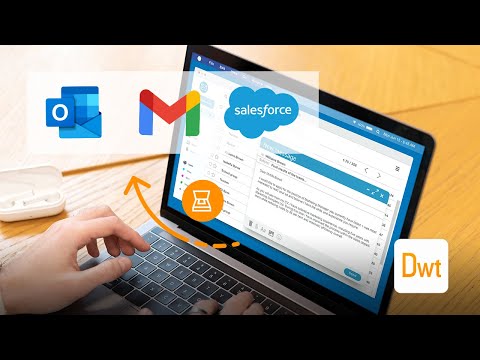
Scan documents on web pages and directly save them as attachments or images in web apps like Gmail, Outlook and Salesforce.
The extension enables scanning documents on web pages and directly save them as attachments or images in web apps like Gmail, Outlook and Salesforce. A scanner modal will appear after pressing the scanner icon added by the extension in the toolbar of supported web apps. 1. Is the Document Scanner available for free? It is free for personal use. If you want to use it for commercial purposes, please contact us at sales@dynamsoft.com. 2. On which platforms and browsers does the Document Scanner Extension operate? Supported Platforms: Windows, macOS, and Linux. Supported Browsers: Chrome and Edge. Supported Web Apps: Gmail, Outlook and Salesforce. 3. Which file formats are supported by the extension for saving as attachments? The extension supports saving attachments in multiple-page PDF and JPG formats. Dynamic Web TWAIN is used to provide the ability to scan documents via scanners. You can learn about how to use Dynamic Web TWAIN to add document scanning to your web application by reading the docs: https://www.dynamsoft.com/web-twain/docs/introduction/index.html
4,3 av 53 betyg
Information
- Version2.2.601
- Uppdaterat31 maj 2026
- Storlek5.1MiB
- SpråkEnglish
- UtvecklareDynamsoft CorporationWebbplats
#668 - 1771 Robson Street Vancouver, BC V6G 1C9 CAE-post
partners@dynamsoft.com - Icke-näringsidkareUtvecklaren har inte angett att den är näringsidkare. Konsumenter i EU bör tänka på att konsumenträttigheter inte gäller för avtal mellan dig och denna utvecklare.
Integritet

Denna utvecklare försäkrar att din data
- inte säljs till tredje part, förutom i godkända användningsfall
- inte används eller överförs för ändamål som inte är relaterade till objektets huvudfunktioner
- inte används eller överförs i syfte att bedöma kreditvärdighet eller för lån.
Support
Om du behöver hjälp med frågor, förslag eller problem kan du besöka utvecklarens supportwebbplats