


Ülevaade
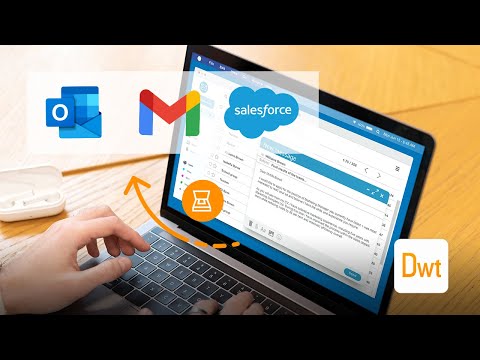
Scan documents on web pages and directly save them as attachments or images in web apps like Gmail, Outlook and Salesforce.
The extension enables scanning documents on web pages and directly save them as attachments or images in web apps like Gmail, Outlook and Salesforce. A scanner modal will appear after pressing the scanner icon added by the extension in the toolbar of supported web apps. 1. Is the Document Scanner available for free? It is free for personal use. If you want to use it for commercial purposes, please contact us at sales@dynamsoft.com. 2. On which platforms and browsers does the Document Scanner Extension operate? Supported Platforms: Windows, macOS, and Linux. Supported Browsers: Chrome and Edge. Supported Web Apps: Gmail, Outlook and Salesforce. 3. Which file formats are supported by the extension for saving as attachments? The extension supports saving attachments in multiple-page PDF and JPG formats. Dynamic Web TWAIN is used to provide the ability to scan documents via scanners. You can learn about how to use Dynamic Web TWAIN to add document scanning to your web application by reading the docs: https://www.dynamsoft.com/web-twain/docs/introduction/index.html
4,3/53 hinnangut
Üksikasjad
- Versioon2.1.1111
- Värskendatud13. november 2024
- Suurus1.31MiB
- KeeledEnglish
- ArendajaDynamsoft CorporationVeebisait
#668 - 1771 Robson Street Vancouver, BC V6G 1C9 CAE-post
partners@dynamsoft.com - MittekauplejaSee arendaja pole ennast kauplejaks määranud. Pange tähele, et Euroopa Liidu tarbijate puhul ei kehti tarbijaõigused teie ja selle arendaja vahelistele lepingutele.
Privaatsus
See arendaja kinnitab, et teie andmeid:
- ei müüda kolmandatele osapooltele väljaspool heakskiidetud kasutusjuhtumeid;
- ei kasutata ega edastata eesmärkidel, mis pole seotud üksuse põhifunktsiooniga;
- ei kasutata ega edastata krediidivõime väljaselgitamiseks ega laenu pakkumiseks.
Tugi
Abi saamiseks seoses küsimuste, soovituste või probleemidega külastage arendaja tugisaiti.