

Document Preview Exporter for Google Drive

खास जानकारी
Adds Export Features for Google Drive Document Previews Document Preview Exporter helps you save pages displayed in Google Drive…
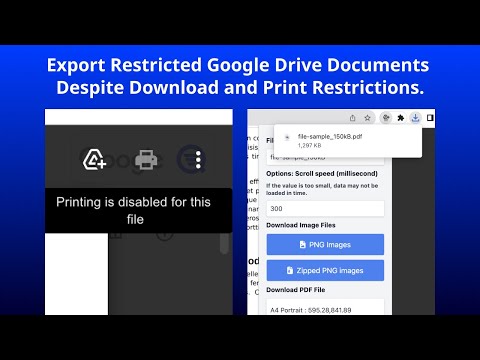
Adds Export Features for Google Drive Document Previews Document Preview Exporter helps you save pages displayed in Google Drive document previews as PNG images, a ZIP archive of PNG images, or a PDF file. This extension operates on Google Drive and document sharing pages: * https://drive.google.com/drive/* * https://drive.google.com/file/d//view * https://drive.google.com/file/d//edit Once a document preview is open in Google Drive, click the extension icon to export the currently displayed preview content. This extension works with content displayed in your browser. It does not provide access to documents you cannot already view. Please use it only for documents you are authorized to save, process, or archive. Key Features: * Export preview pages as PNG images * Export preview pages as a ZIP archive of PNG images * Export preview pages as a PDF file * PDF output is generated from preview images and does not include embedded text information * Specify an output filename * Choose PDF page size, such as A4, A3, and more * Choose PDF orientation: Portrait or Landscape Usage Notice: Please respect copyright, confidentiality, licensing terms, and your organization’s policies. You are responsible for ensuring that your use of this extension complies with applicable laws, agreements, and internal rules. Currently, preview display in Google Slides is not supported. Release Notes: 2026-05-09 v1.4.1: Minor improvements and dependency updates. 2025-11-19 v1.4.0: Added support for the new Google Drive preview layout. 2025-07-26 v1.3.0: Added support for canvas-based document previews. Google Drive may render some document previews using a canvas-based system instead of image elements. This update improves compatibility with both rendering methods. 2024-10-26 v1.2.4: Added support for original-size PDF output. When selecting “Original Size” in the PDF settings, the PDF is created using the size of the currently displayed preview image. If the output resolution appears rough, please adjust the zoom level in Google Drive before exporting. Icons by https://icons8.com/ Sample files by https://file-examples.com/
5 में से 4.6122 रेटिंग
वर्णन
- वर्शन1.4.1
- पिछली बार अपडेट होने की तारीख:8 जून 2026
- आकार283KiB
- भाषाएंEnglish (United States)
- डेवलपरवेबसाइट
ईमेल
support@findgrep.app - गैर-व्यापारीइस डेवलपर ने अपनी पहचान व्यापारी के तौर पर ज़ाहिर नहीं की है. अगर आप यूरोपियन संघ के किसी देश में रहने वाले उपभोक्ता हैं, तो आपके और डेवलपर के बीच हुए समझौते पर उपभोक्ता के अधिकार लागू नहीं होंगे.
निजता

डेवलपर ने एलान किया है कि आपका डेटा
- जिन मामलों में इस्तेमाल की मंज़ूरी दी गई है उनके अलावा, किसी भी तीसरे पक्ष को नहीं बेचा जाता
- किसी ऐसे मकसद से इस्तेमाल या ट्रांसफ़र नहीं किया जाता जो आइटम के मुख्य फंक्शन के हिसाब से ज़रूरी नहीं है
- क़र्ज़ लेने या क़र्ज़ देने की स्थिति तय करने के लिए इस्तेमाल या ट्रांसफ़र नहीं किया जाता
सहायता
सवालों, सुझावों या समस्याओं से जुड़ी मदद पाने के लिए, कृपया इस पेज को डेस्कटॉप ब्राउज़र पर खोलें