Item logo image for DocsLoop File Preview

DocsLoop File Preview

Item media 4 (screenshot) for DocsLoop File Preview
Item video thumbnail
Item media 2 (screenshot) for DocsLoop File Preview
Item media 3 (screenshot) for DocsLoop File Preview
Item media 4 (screenshot) for DocsLoop File Preview
Item video thumbnail
Item media 2 (screenshot) for DocsLoop File Preview
Item media 3 (screenshot) for DocsLoop File Preview
Item media 4 (screenshot) for DocsLoop File Preview

Overview

Preview CSV, DOCX, and Markdown files in DocsLoop from any website

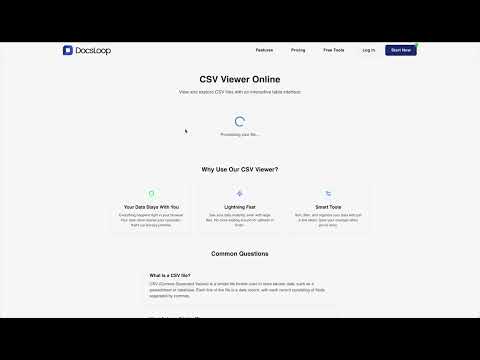
View and process documents instantly in your browser without downloading. Works with PDF, DOCX, CSV, and more. 100% free, private, and secure - all processing happens locally on your device. Save time and simplify your document workflow with one-click access to our powerful document tools. The DocsLoop Chrome Extension is designed with privacy as a core principle: - No document uploads to any server - No data collection or tracking

Details

  • Version
    1.0.0
  • Updated
    March 6, 2025
  • Features
    Offers in-app purchases
  • Size
    530KiB
  • Languages
    English (United States)
  • Developer
    Techwarely LLC
    2093 Philadelphia Pike #7574 Claymont, DE 19703-2424 US
    Website
    Email
    agustin@docsloop.com
  • Non-trader
    This developer has not identified itself as a trader. For consumers in the European Union, please note that consumer rights do not apply to contracts between you and this developer.

Privacy

DocsLoop File Preview has disclosed the following information regarding the collection and usage of your data. More detailed information can be found in the developer's privacy policy.

DocsLoop File Preview handles the following:

User activity

This developer declares that your data is

  • Not being sold to third parties, outside of the approved use cases
  • Not being used or transferred for purposes that are unrelated to the item's core functionality
  • Not being used or transferred to determine creditworthiness or for lending purposes

Support

For help with questions, suggestions, or problems, visit the developer's support site

Related

DocSend Slide Deck Downloader

5.0

Download any DocSend slide deck as a PDF

Docs Offline Reader143

0.0

all without Internet access. Read Google Docs offline in your browser

Webpage to DOCX

3.4

Convert any web page or local HTML file to DOCX.

Download All PDFs

3.3

Download all PDF files from any website.

Table Capture - Tabular Data to Spreadsheet

3.9

Capturing tabular data on websites. Export to Microsoft Excel, Google Sheets, CSV, etc.

FlipHTML5 | AnyFlip Downloader & Converter to PDF, EPUB & DOCX

3.6

Convert FlipHTML5 and AnyFlip flipbooks to PDF, EPUB, or DOCX. Download online flipbooks and save them offline permanently

Mathpix Snip

4.4

Convert PDFs to LaTeX, DOCX, Markdown, and more

Bookmarks to CSV

4.2

Export Chrome bookmarks and history to CSV, HTML, or JSON

Open Excel

5.0

View Excel files in Chrome and edit them in Google Sheets

PDF4me - Edit, Merge, Compress & Convert PDF

4.9

Convert and Manage your documents quickly from your browser

PDF Viewer

4.7

Display any PDF files in the Chrome browser with HTML5. Online editor, viewer and PDF converter tool.

Excel to Google Sheets

5.0

Convert an Excel or CSV file into Google Sheets by dragging and dropping it into your browser

DocSend Slide Deck Downloader

5.0

Download any DocSend slide deck as a PDF

Docs Offline Reader143

0.0

all without Internet access. Read Google Docs offline in your browser

Webpage to DOCX

3.4

Convert any web page or local HTML file to DOCX.

Download All PDFs

3.3

Download all PDF files from any website.

Table Capture - Tabular Data to Spreadsheet

3.9

Capturing tabular data on websites. Export to Microsoft Excel, Google Sheets, CSV, etc.

FlipHTML5 | AnyFlip Downloader & Converter to PDF, EPUB & DOCX

3.6

Convert FlipHTML5 and AnyFlip flipbooks to PDF, EPUB, or DOCX. Download online flipbooks and save them offline permanently

Mathpix Snip

4.4

Convert PDFs to LaTeX, DOCX, Markdown, and more

Bookmarks to CSV

4.2

Export Chrome bookmarks and history to CSV, HTML, or JSON

Google apps