

Docs to PDF – Bulk Convert & Merge Google Docs, Sheets, Slides

Overview
Bulk convert Google Docs, Sheets, Slides & Word files in Drive to PDF, merge them into one PDF or download a ZIP. Free to start.
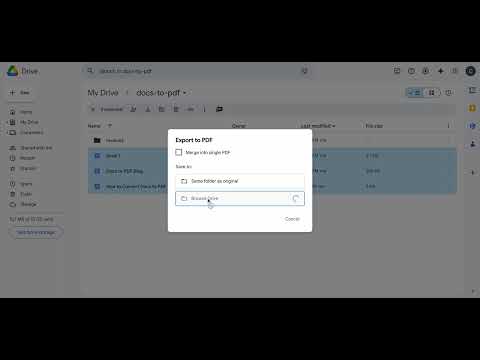
Docs to PDF turns Google Docs, Sheets, Slides and Word files in your Google Drive into PDFs, a whole batch at once, without downloading and re-uploading anything. How it works 1. Open Google Drive and tick the files you need, or pick a whole folder in the Docs to PDF side panel. 2. Click "Export to PDF". 3. The PDFs are saved next to the originals in Drive. A copy downloads to your computer: one PDF, or one ZIP for a batch. What you can do • Bulk export: dozens of documents in one click • Merge several files into one PDF, ready to print, share or hand in • Google Docs, Google Sheets, Google Slides and Word (.docx), mixed in one export • Export a whole Drive folder from the side panel • Password-protect PDFs before you share them • Leave out the first page of every document • Save to the same folder, a folder you pick, or a new folder • Saved flows: run the same export again with one click • Works with shared drives Pro features • Page numbers on every PDF • A bookmark for every document, plus a table of contents, in merged PDFs • File-name templates for batch exports Privacy Docs to PDF only asks Google for the drive.file permission: it can open the files you select and nothing else in your Drive. The PDF is made by Google's own export, so it looks exactly like your document, and your documents don't pass through our servers. Pricing Start free with 25 conversions (one-time, no card needed). Pro gives you 500 conversions every month, Business 5,000. One conversion is one document. Plans and prices: https://docs-to-pdf.com/#pricing Made for Teachers exporting lesson plans, worksheets and report cards. Students handing in assignments. Offices sending contracts, invoices and reports. Using Edge, Brave or Safari, or does your school block extensions? The online converter works in any browser: https://docs-to-pdf.com/convert-online Questions or ideas? https://docs-to-pdf.com/feedback
5 out of 55 ratings
Details
- Version1.29
- UpdatedOctober 24, 2026
- FeaturesOffers in-app purchases
- Size928KiB
- LanguagesEnglish
- DeveloperWebsite
Email
corbihael@gmail.com - Non-traderThis developer has not identified itself as a trader. For consumers in the European Union, please note that consumer rights do not apply to contracts between you and this developer.
Privacy

This developer declares that your data is
- Not being sold to third parties, outside of the approved use cases
- Not being used or transferred for purposes that are unrelated to the item's core functionality
- Not being used or transferred to determine creditworthiness or for lending purposes
Support
For help with questions, suggestions, or problems, visit the developer's support site