


Ringkasan
Create hotkeys for Google Docs
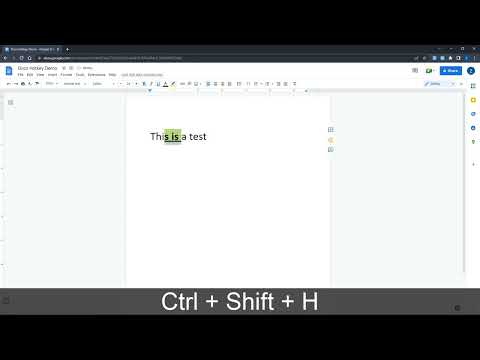
Docs Hotkey allows for complex hotkey setups with simple configuration. Hotkeys can be created to do the following: - Highlight in any color - Bold - Underline - Italicize - Change text color - Change fonts - Change font size - Set heading type (e.g., Heading 1, Normal Text, Title) - Strike through text - Change alignment and indentation - Add emoji reactions - Add bulleted lists and set their spacing - Clear all styles and remove specific styles - Execute add-ons - Insert search menu components (e.g., building blocks) A single hotkey can be configured to do several of these at once. Docs Hotkey was originally created solely for the addition of a highlight shortcut, but it has since expanded to many others. If you'd like to see a new shortcut added or if you encounter a bug, feel free to contact me. Also supports Google Slides and Google Classroom! Documentation: https://docs-hotkey.zackmurry.com
4,6 dari 583 rating
Detail
- Versi0.23
- Diupdate28 Februari 2026
- Ditawarkan olehZack Murry
- Ukuran790KiB
- BahasaEnglish
- Developer
Email
zackk.murryy@gmail.com - Non-pedagangDeveloper ini tidak mengidentifikasi diri sebagai pedagang. Bagi konsumen di Uni Eropa, perlu diperhatikan bahwa hak konsumen tidak berlaku untuk kontrak antara Anda dan developer ini.
Privasi

Developer ini menyatakan bahwa data Anda
- Tidak dijual ke pihak ketiga, di luar kasus penggunaan yang disetujui
- Tidak digunakan atau ditransfer untuk tujuan yang tidak terkait dengan fungsi inti item
- Tidak digunakan atau ditransfer untuk menentukan kelayakan kredit atau untuk tujuan pinjaman
Dukungan
Untuk mendapatkan bantuan terkait pertanyaan, saran, atau masalah, buka halaman ini di browser desktop Anda