

Docs Comment Exporter

Overview
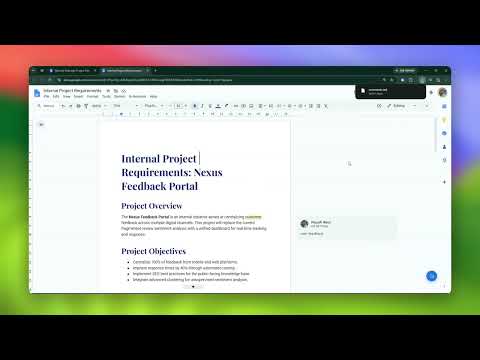
Export Google Docs comments to CSV, Markdown, or JSON - in one click.
Stop manually copying and pasting Google Docs comments. This extension lets you download, filter, and save all your document's feedback in one click. If you need to review editing notes offline, organize project feedback, or keep a backup of resolved threads, this tool does the work for you. Install the extension to export your first document instantly. 📄 What’s New in Version 2.2.0 Advanced Filters: Search comments by keyword or filter by author, resolved/unresolved status, and replies. Reset your view in one click. Clearer Reply Threads: Exports show exact timestamps when conversations were "Resolved" or "Reopened" to preserve full discussion context. Non-Intrusive UI: Drag the export button anywhere on the page or snap it to the edge of the screen so it stays out of your reading path. 📌 Core Features One-Click Export: Download document comments in seconds with zero setup required. Complete History: Capture full text, author names, exact timestamps, and complete reply chains. 100% Private & Secure: Processing runs entirely inside your browser. Comments are never sent, stored, or read externally. Granular Permissions: The extension only requests access to read the exact file you actively export—never your entire Google Drive. Perfect For Writers & Editors: Track revision requests and ensure no feedback is missed during editing. Project Managers: Filter for unresolved comments by specific team members prior to deadlines. Educators & Students: Save grading notes and peer reviews for offline reference. Record Keeping: Maintain offline copies of document discussions for project archives. Add to Chrome now to stop losing track of your Google Docs comments and keep your feedback organized.
5 out of 52 ratings
Details
- Version2.2.0
- UpdatedAugust 19, 2026
- Size77.94KiB
- LanguagesEnglish
- DeveloperWebsite
Email
slate.labs.hq@gmail.com - Non-traderThis developer has not identified itself as a trader. For consumers in the European Union, please note that consumer rights do not apply to contracts between you and this developer.
Privacy

Docs Comment Exporter has disclosed the following information regarding the collection and usage of your data. More detailed information can be found in the developer's privacy policy.
Docs Comment Exporter handles the following:
This developer declares that your data is
- Not being sold to third parties, outside of the approved use cases
- Not being used or transferred for purposes that are unrelated to the item's core functionality
- Not being used or transferred to determine creditworthiness or for lending purposes
Support
For help with questions, suggestions, or problems, visit the developer's support site