Item logo image for DocMate

DocMate

4.9(

9 ratings

)
Item media 4 (screenshot) for DocMate
Item video thumbnail
Item media 2 (screenshot) for DocMate
Item media 3 (screenshot) for DocMate
Item media 4 (screenshot) for DocMate
Item video thumbnail
Item media 2 (screenshot) for DocMate
Item media 3 (screenshot) for DocMate
Item media 4 (screenshot) for DocMate

Overview

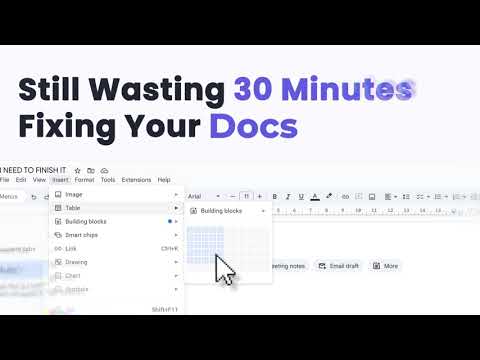
DocMate enhances Google Docs by generating tables, lists, and charts from selected text, and user instructions

🧠 DocMate – AI Copilot for Google Docs Turn your Google Docs into an intelligent workspace. DocMate empowers you to generate tables, charts, lists, and polished writing directly from highlighted text or simple prompts — all powered by AI. No switching tabs or juggling windows — everything happens right inside Docs. 🚀 What You Can Do with DocMate: 📊 Generate Tables & Charts Instantly Convert text and data into clean tables and dynamic charts — ready for Google Docs or Sheets. ✍️ Rewrite, Polish & Proofread Eliminate grammar issues, enhance tone, and rephrase content for clarity and impact. ✅ Smart List Builder Turn plain text or ideas into clean bulleted, numbered, or nested lists — ready to drop into your doc. ∑ Render Mathematical & LaTeX Formulas Paste LaTeX or math expressions and get perfectly formatted formulas that fit right into your doc. 🌍 Translate Seamlessly Translate text between languages while preserving formatting and layout. ⚡ 100% Integrated with Google Docs Works directly inside Docs — no setup, no distractions, no context switching. 💡 Why Teams Love DocMate AI-Powered Context Understanding — Powered by OpenAI, DocMate tailors each output to your content and intent. Save Hours of Manual Work — Replace tedious formatting, research, and rewriting with one-click actions. Collaboration-Ready — Outputs are editable, shareable, and team-friendly. Privacy by Design — Only the selected text is processed; nothing else leaves your document. Always Evolving — New features, faster performance, and richer language support are continuously rolling out. 🔔 Start Your AI-Powered Workflow Experience the next generation of intelligent document editing. Install DocMate today and streamline your Google Docs with AI precision.

Details

  • Version
    1.0.0
  • Updated
    November 6, 2025
  • Features
    Offers in-app purchases
  • Size
    2.27MiB
  • Languages
    English
  • Developer
    Website
    Email
    cyberneticbuilds@gmail.com
  • Non-trader
    This developer has not identified itself as a trader. For consumers in the European Union, please note that consumer rights do not apply to contracts between you and this developer.

Privacy

DocMate has disclosed the following information regarding the collection and usage of your data. More detailed information can be found in the developer's privacy policy.

DocMate handles the following:

Personally identifiable information

This developer declares that your data is

  • Not being sold to third parties, outside of the approved use cases
  • Not being used or transferred for purposes that are unrelated to the item's core functionality
  • Not being used or transferred to determine creditworthiness or for lending purposes

Related

AI Exporter: Save ChatGPT, Gemini to PDF | To Markdown | Sync to Notion

4.6

Export ChatGPT, DeepSeek, Gemini, Grok chats to PDF/Markdown/Txt/image. Supports download/copy, content selection, and Notion sync.

Google Docs SplitView

4.4

Open and manage multiple Google Docs, Sheets, and Slides side-by-side in a single tab to boost your document workflow

OpenOffice Writer online for Word documents

3.2

Create and edit doc and docx documents with OpenOffice Writer online

GPT Workspace

4.9

Run GPT in Google Workspace: use ChatGPT into Google Slides, Docs, Sheets, Drive and Gmail.

Record Voice Comments in Google Docs - Beep

4.9

The best way to record voice notes and audio feedback on Google Docs, Sheets, Slides, and Forms.

GPTZero: AI Detection & Writing Tools for Google Docs

4.2

Bring AI detection, citation checks, live essay feedback, and writing replays directly into Google Docs and your workflow.

Smodin - Detect AI, Humanize Instantly—Anywhere You Write.

5.0

Detect AI text and humanize it in Google Docs, Notion & Gmail. & across the web. Free, Trial & Ultimate plans available.

Google Sheets Excel Shortcuts & Trace Formula

4.9

SheetWhiz brings Trace Precedents & Dependents, Goal Seek, What-If, Macabacus format cyclings, and Excel & PPT shortcuts to Google

Typster - Human Auto Typer for Google Docs

5.0

Automatically type text in Google Docs with natural human-like patterns

ChatGPT Add-in for Gmail™, Docs™, Slides™ & Sheets™ - AI Perfect Assistant

5.0

Use ChatGPT in Gmail™, Docs™, Slides™ & Sheets™. Summarize emails, write drafts, polish presentations and generate content instantly

Convert ChatGPT to Google Doc, Microsoft Word, PDF

4.0

Convert ChatGPT response (Rich format text, images, tables) to Google doc, Microsoft word, PDF with 1 click.

Text From PRO

3.2

Copy text from images videos PDFs YouTube Google Books protected docs web pages. Copy, grab, extract text for best productivity.

AI Exporter: Save ChatGPT, Gemini to PDF | To Markdown | Sync to Notion

4.6

Export ChatGPT, DeepSeek, Gemini, Grok chats to PDF/Markdown/Txt/image. Supports download/copy, content selection, and Notion sync.

Google Docs SplitView

4.4

Open and manage multiple Google Docs, Sheets, and Slides side-by-side in a single tab to boost your document workflow

OpenOffice Writer online for Word documents

3.2

Create and edit doc and docx documents with OpenOffice Writer online

GPT Workspace

4.9

Run GPT in Google Workspace: use ChatGPT into Google Slides, Docs, Sheets, Drive and Gmail.

Record Voice Comments in Google Docs - Beep

4.9

The best way to record voice notes and audio feedback on Google Docs, Sheets, Slides, and Forms.

GPTZero: AI Detection & Writing Tools for Google Docs

4.2

Bring AI detection, citation checks, live essay feedback, and writing replays directly into Google Docs and your workflow.

Smodin - Detect AI, Humanize Instantly—Anywhere You Write.

5.0

Detect AI text and humanize it in Google Docs, Notion & Gmail. & across the web. Free, Trial & Ultimate plans available.

Google Sheets Excel Shortcuts & Trace Formula

4.9

SheetWhiz brings Trace Precedents & Dependents, Goal Seek, What-If, Macabacus format cyclings, and Excel & PPT shortcuts to Google

Google apps