

DocHub - Sign PDF from Gmail

Genel bakış
Sign and edit PDF documents
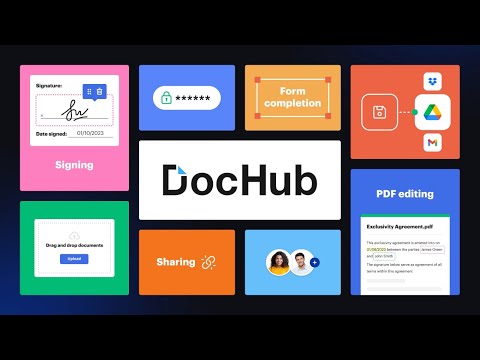
Sign, edit, and share PDFs right from your Chrome™ browser or Gmail™ inbox. Sign email attachments and draft replies with signed documents attached without leaving your Gmail™ inbox. Use the DocHub extension for Chrome™ to open PDFs from a web URL in DocHub and then edit, sign, or share them with others. With DocHub's powerful editor, you can add text, images, comments, and highlights. You can also white out information, and underline or strike out text anywhere on a document without losing the document's original quality. Sign PDFs sent as email attachments using DocHub. Add your signature by drawing, typing, or uploading its picture. Once signed, you can reply to an email with the signed document attached — all without leaving your Gmail™ inbox. Manage your PDFs online. With DocHub, you can rearrange, add, and delete pages, or merge entire PDFs to create a new file with just a few clicks. Create forms with fillable fields for checkboxes, signatures, initials, and more, or build reusable templates to share unique copies with multiple recipients. Easily share a PDF via email, fax, and by public or personal URL, to securely collaborate on documents online. DocHub works seamlessly with various file formats. Improve teamwork by collaborating on documents within academic or business organizations that you can create in DocHub. Maintain security and compliance. DocHub ensures document security with password protection, access control, two-factor authentication, encrypted storage, and a detailed audit trail while helping you comply with HIPAA, FERPA, SOC 2 Type II, PCI DSS, CCPA, and GDPR regulations. Sign up and get started for free! DocHub’s generous free plan includes access to a variety of annotation, page management, and eSignature tools. When you’re ready to explore our full suite of features, upgrade to DocHub Pro and try it free for 30 days. You'll unlock the ability to handle the heaviest workloads and gain access to all of our premium tools. With DocHub Pro, you get everything in our free plan plus: Access to Premium Tools Unlimited eSignatures Unlimited Sign Requests Unlimited Saved Signatures Unlimited Document Storage … and much more!
5 üzerinden 4,4316 puan
Ayrıntılar
- Sürüm2.4.0
- Güncellenme tarihi:29 Mayıs 2025
- Boyut61.41KiB
- DillerEnglish
- GeliştiriciDocHub LLCWeb sitesi
17 Station Street Ste. 3 Brookline, MA 02445 USE-posta
support@dochub.comTelefon
+1 203-339-5298 - TacirBu geliştirici, Avrupa Birliği'nin tanımı doğrultusunda kendisini tacir olarak tanımlamıştır ve yalnızca AB yasalarına uygun ürün veya hizmetler sunmayı taahhüt eder.
- DUNS024852271
Gizlilik

DocHub - Sign PDF from Gmail, verilerinizin toplanması ve kullanılmasıyla ilgili aşağıdaki bilgileri beyan etti. Daha ayrıntılı bilgiyi geliştiricinin privacy policy belgesinde bulabilirsiniz.
DocHub - Sign PDF from Gmail şu verileri işler:
Bu geliştirici, verilerinizle ilgili olarak aşağıdakileri beyan eder:
- Onaylanan kullanım alanları dışında üçüncü taraflara satılmaz
- Öğenin temel işleviyle alakasız amaçlar için kullanılmaz ya da aktarılmaz
- Kredibilitenin belirlenmesi veya borç verme amaçlarıyla kullanılmaz ya da aktarılmaz
Destek
Sorular, öneriler veya sorunlarla ilgili yardım için lütfen bu sayfayı masaüstü tarayıcınızda açın