

DocHub - Sign PDF from Gmail

Обзор
Sign and edit PDF documents
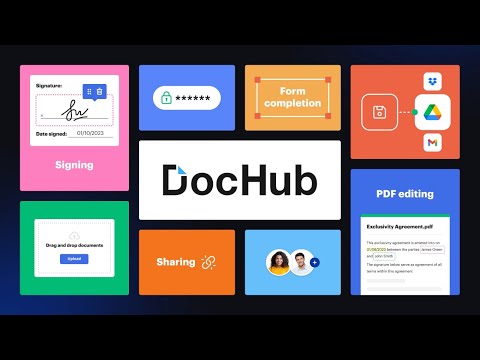
Sign, edit, and share PDFs right from your Chrome™ browser or Gmail™ inbox. Sign email attachments and draft replies with signed documents attached without leaving your Gmail™ inbox. Use the DocHub extension for Chrome™ to open PDFs from a web URL in DocHub and then edit, sign, or share them with others. With DocHub's powerful editor, you can add text, images, comments, and highlights. You can also white out information, and underline or strike out text anywhere on a document without losing the document's original quality. Sign PDFs sent as email attachments using DocHub. Add your signature by drawing, typing, or uploading its picture. Once signed, you can reply to an email with the signed document attached — all without leaving your Gmail™ inbox. Manage your PDFs online. With DocHub, you can rearrange, add, and delete pages, or merge entire PDFs to create a new file with just a few clicks. Create forms with fillable fields for checkboxes, signatures, initials, and more, or build reusable templates to share unique copies with multiple recipients. Easily share a PDF via email, fax, and by public or personal URL, to securely collaborate on documents online. DocHub works seamlessly with various file formats. Improve teamwork by collaborating on documents within academic or business organizations that you can create in DocHub. Maintain security and compliance. DocHub ensures document security with password protection, access control, two-factor authentication, encrypted storage, and a detailed audit trail while helping you comply with HIPAA, FERPA, SOC 2 Type II, PCI DSS, CCPA, and GDPR regulations. Sign up and get started for free! DocHub’s generous free plan includes access to a variety of annotation, page management, and eSignature tools. When you’re ready to explore our full suite of features, upgrade to DocHub Pro and try it free for 30 days. You'll unlock the ability to handle the heaviest workloads and gain access to all of our premium tools. With DocHub Pro, you get everything in our free plan plus: Access to Premium Tools Unlimited eSignatures Unlimited Sign Requests Unlimited Saved Signatures Unlimited Document Storage … and much more!
4,4 из 5314 оценок
Подробности
- Версия2.4.0
- Обновлено29 мая 2025 г.
- Размер61.41KiB
- ЯзыкиEnglish
- РазработчикDocHub LLCСайт
17 Station Street Ste. 3 Brookline, MA 02445 USЭлектронная почта
support@dochub.comТелефон
+1 203-339-5298 - ПродавецЭтот разработчик заявил, что является продавцом согласно определению Европейского Союза, и взял на себя обязательство предлагать только товары и услуги, соответствующие законодательству ЕС.
- D-U-N-S024852271
Конфиденциальность

Разработчик "DocHub - Sign PDF from Gmail" предоставил указанные ниже сведения о сборе и использовании ваших данных. Подробную информацию вы найдете в правилах разработчика: privacy policy.
В продукте "DocHub - Sign PDF from Gmail" обрабатываются следующие типы данных:
Этот разработчик утверждает, что ваши данные:
- Не продаются третьим лицам, за исключением разрешенных вариантов использования
- Не используются и не передаются в целях, не связанных с работой основных функций продукта
- Не используются и не передаются для определения платежеспособности или в целях кредитования
Поддержка
Чтобы сообщить об ошибках в работе продукта, задать вопрос или поделиться идеями, откройте эту страницу в браузере для компьютера.