


개요
Sign and edit PDF documents
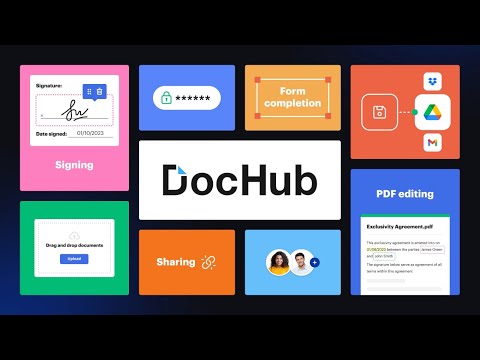
Sign, edit, and share PDFs right from your Chrome™ browser or Gmail™ inbox. Sign email attachments and draft replies with signed documents attached without leaving your Gmail™ inbox. Use the DocHub extension for Chrome™ to open PDFs from a web URL in DocHub and then edit, sign, or share them with others. With DocHub's powerful editor, you can add text, images, comments, and highlights. You can also white out information, and underline or strike out text anywhere on a document without losing the document's original quality. Sign PDFs sent as email attachments using DocHub. Add your signature by drawing, typing, or uploading its picture. Once signed, you can reply to an email with the signed document attached — all without leaving your Gmail™ inbox. Manage your PDFs online. With DocHub, you can rearrange, add, and delete pages, or merge entire PDFs to create a new file with just a few clicks. Create forms with fillable fields for checkboxes, signatures, initials, and more, or build reusable templates to share unique copies with multiple recipients. Easily share a PDF via email, fax, and by public or personal URL, to securely collaborate on documents online. DocHub works seamlessly with various file formats. Improve teamwork by collaborating on documents within academic or business organizations that you can create in DocHub. Maintain security and compliance. DocHub ensures document security with password protection, access control, two-factor authentication, encrypted storage, and a detailed audit trail while helping you comply with HIPAA, FERPA, SOC 2 Type II, PCI DSS, CCPA, and GDPR regulations. Sign up and get started for free! DocHub’s generous free plan includes access to a variety of annotation, page management, and eSignature tools. When you’re ready to explore our full suite of features, upgrade to DocHub Pro and try it free for 30 days. You'll unlock the ability to handle the heaviest workloads and gain access to all of our premium tools. With DocHub Pro, you get everything in our free plan plus: Access to Premium Tools Unlimited eSignatures Unlimited Sign Requests Unlimited Saved Signatures Unlimited Document Storage … and much more!
5점 만점에 4.4점평점 316개
세부정보
개인정보 보호

DocHub - Sign PDF from Gmail에서 데이터 수집 및 사용과 관련하여 다음 정보를 공개했습니다. 더 자세한 정보는 개발자의 privacy policy을 참고하세요.
DocHub - Sign PDF from Gmail 항목은 다음을 처리합니다.
개발자가 사용자 데이터에 관해 다음과 같이 선언했습니다
- 승인된 사용 사례를 제외하고 서드 파티에 판매하지 않음
- 항목의 핵심 기능과 관련 없는 목적으로 사용하거나 전송하지 않음
- 신용도 판단 또는 대출 목적으로 사용하거나 전송하지 않음
지원
질문, 제안 또는 문제와 관련하여 도움이 필요하면 데스크톱 브라우저에서 이 페이지를 여세요.