


Tổng quan
Sign and edit PDF documents
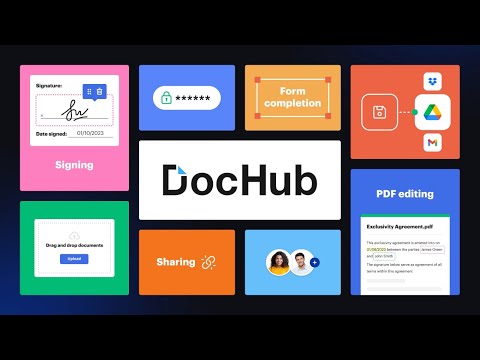
Sign, edit, and share PDFs right from your Chrome™ browser or Gmail™ inbox. Sign email attachments and draft replies with signed documents attached without leaving your Gmail™ inbox. Use the DocHub extension for Chrome™ to open PDFs from a web URL in DocHub and then edit, sign, or share them with others. With DocHub's powerful editor, you can add text, images, comments, and highlights. You can also white out information, and underline or strike out text anywhere on a document without losing the document's original quality. Sign PDFs sent as email attachments using DocHub. Add your signature by drawing, typing, or uploading its picture. Once signed, you can reply to an email with the signed document attached — all without leaving your Gmail™ inbox. Manage your PDFs online. With DocHub, you can rearrange, add, and delete pages, or merge entire PDFs to create a new file with just a few clicks. Create forms with fillable fields for checkboxes, signatures, initials, and more, or build reusable templates to share unique copies with multiple recipients. Easily share a PDF via email, fax, and by public or personal URL, to securely collaborate on documents online. DocHub works seamlessly with various file formats. Improve teamwork by collaborating on documents within academic or business organizations that you can create in DocHub. Maintain security and compliance. DocHub ensures document security with password protection, access control, two-factor authentication, encrypted storage, and a detailed audit trail while helping you comply with HIPAA, FERPA, SOC 2 Type II, PCI DSS, CCPA, and GDPR regulations. Sign up and get started for free! DocHub’s generous free plan includes access to a variety of annotation, page management, and eSignature tools. When you’re ready to explore our full suite of features, upgrade to DocHub Pro and try it free for 30 days. You'll unlock the ability to handle the heaviest workloads and gain access to all of our premium tools. With DocHub Pro, you get everything in our free plan plus: Access to Premium Tools Unlimited eSignatures Unlimited Sign Requests Unlimited Saved Signatures Unlimited Document Storage … and much more!
4,4/5316 lượt xếp hạng
Chi tiết
- Phiên bản2.4.0
- Đã cập nhật29 tháng 5, 2025
- Kích thước61.41KiB
- Ngôn ngữEnglish
- Nhà phát triểnDocHub LLCTrang web
17 Station Street Ste. 3 Brookline, MA 02445 USEmail
support@dochub.comĐiện thoại
+1 203-339-5298 - Người bán thương mạiTheo định nghĩa của Liên minh Châu Âu, nhà phát triển này đã tự nhận mình là người bán và cam kết chỉ cung cấp những sản phẩm hoặc dịch vụ tuân thủ luật pháp của Liên minh Châu Âu.
- D-U-N-S024852271
Quyền riêng tư

DocHub - Sign PDF from Gmail đã công bố thông tin sau đây liên quan đến việc thu thập và sử dụng dữ liệu của bạn. Bạn có thể xem thêm thông tin chi tiết trong privacy policy của nhà phát triển.
DocHub - Sign PDF from Gmail xử lý dữ liệu sau:
Nhà phát triển này tuyên bố rằng dữ liệu của bạn
- Không được bán cho bên thứ ba, ngoài những trường hợp sử dụng đã được phê duyệt
- Không được sử dụng hoặc chuyển nhượng cho các mục đích không liên quan đến chức năng chính của mặt hàng
- Không được sử dụng hoặc chuyển nhượng để xác định khả năng thanh toán nợ hoặc phục vụ mục đích cho vay
Hỗ trợ
Nếu bạn có câu hỏi, ý kiến đề xuất hoặc gặp vấn đề, vui lòng mở trang này bằng trình duyệt dành cho máy tính để được trợ giúp