

Mellow – Dark Mode for Google Docs™, Night Theme & Writer Sidebar

Overview
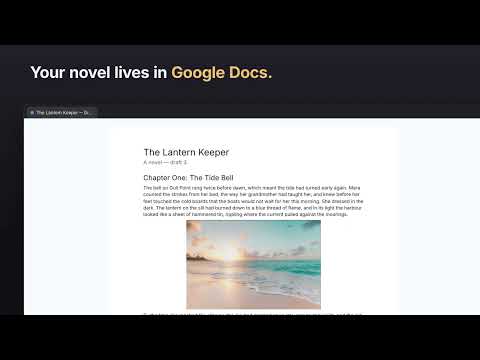
Dark mode for Google Docs™ that keeps images in true colour, plus a writer sidebar: chapters, notes and a daily word goal.
Dark mode for Google Docs™ that finally gets images right — plus a writer sidebar for your chapters, notes and daily word goal. Most Google Docs dark mode extensions just invert the page, so your photos, charts and logos come out looking wrong. Mellow recolours the page itself, keeps text sharp and readable, and leaves every image in its true colours. ★ WHY PEOPLE INSTALL MELLOW • True dark theme: the document page goes dark, not just the toolbar • Images and charts keep their real colours: no inverted photos • Menus, toolbar, rulers and sidebars go dark too • Easier on your eyes for late-night writing and long study sessions • One shortcut: Alt+Shift+D turns night mode on or off ★ WRITER SIDEBAR (new) Everything you'd keep in a separate app, right beside your draft: • Chapters: your headings as a clickable outline, with your current chapter highlighted • Notes: character, plot and research cards for each document, searchable and exportable as Markdown • Goal: today's words, this session's words and a daily target (1,667 by default — NaNoWriMo pace) • Alt+Shift+W opens or closes the sidebar ★ MELLOW PRO The free version includes 5 notes per document. Pro unlocks unlimited notes for $3/month or $20/year. Your licence key is emailed after checkout — paste it into the Mellow popup. ★ PRIVATE AND LIGHTWEIGHT • No account, no sign-up, no tracking • Collects no data: your documents and notes never leave your browser • The only network request is checking a licence key with our payment provider (Polar), and only when you paste one • Runs only on docs.google.com ★ FAQ Does it change my document? No. Mellow only changes how Docs looks on your screen. Printing, sharing and other people's view stay exactly the same. Will my images look inverted? No. That's the main difference from other dark mode extensions. Why does the doc reload when I switch dark mode? Google Docs draws the page in one go, so Mellow redraws it to apply the theme cleanly. Where are my notes stored? In your browser, per document. Use Export in the Notes tab to save a copy. Lost your licence key? It's in the email from Polar, and in Polar's customer portal. Google Docs is a trademark of Google LLC. Mellow is not affiliated with or endorsed by Google.
0 out of 5No ratings
Details
- Version0.3.2
- UpdatedOctober 28, 2026
- FeaturesOffers in-app purchases
- Size38.05KiB
- LanguagesEnglish
- Developer
Email
habibafaisal8@gmail.com - Non-traderThis developer has not identified itself as a trader. For consumers in the European Union, please note that consumer rights do not apply to contracts between you and this developer.
Privacy

This developer declares that your data is
- Not being sold to third parties, outside of the approved use cases
- Not being used or transferred for purposes that are unrelated to the item's core functionality
- Not being used or transferred to determine creditworthiness or for lending purposes
Support
For help with questions, suggestions, or problems, visit the developer's support site