

Swagger Enhancer
1 rating
)
Overview
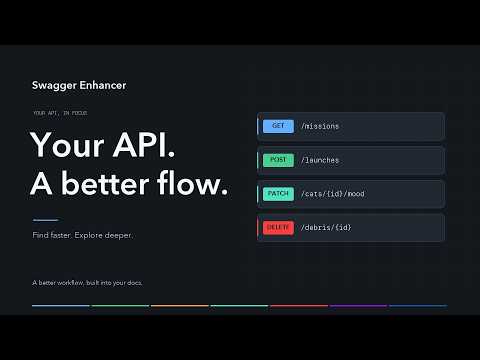
Dark theme, full-spec search, favorites and inline schema previews for Swagger UI.
Make Swagger UI easier to read, search and navigate. Swagger Enhancer adds practical tools for developers and QA engineers working with Swagger/OpenAPI documentation. - Light and dark themes: switch instantly, without reloading. - Full-spec search: find endpoints by path, HTTP method, tag, description or operation ID, including offscreen operations in standard Swagger UI. - Favorites: keep important endpoints per specification, show only favorites or hide them while exploring the rest. - Inline schema previews: inspect fields, types, required properties and references beside a schema link. Follow related models, go back or open the full schema. - Header authorization: open Swagger's own authorization dialog from the fixed header and see authorization status. - Copy tools: copy a documentation link, a route URL on the current host or just the path. - Cleaner responses: hide response documentation while keeping executed requests and their live results visible. - Collapsible schemas: keep Schemas collapsed by default, with direct links opening the requested model. - Scroll to Top: return to the beginning of long documentation pages. - Custom sites: choose where the panel appears with editable address rules, including custom domains, paths and localhost ports. Getting started Open your Swagger documentation and click the extension icon. Search, Favorites and Scroll to Top start enabled. Turn on the other features you need. In Sites, the standard docs, swagger and openapi rules can be removed or extended. Save address changes, then reload your documentation. Swagger UI must be present, ordinary pages stay unchanged. Compatibility Chromium 111 or newer. Tested with Swagger UI 4.19.1 and 5.33.0, OpenAPI 3.0 and 3.1, in both themes. Custom Swagger builds may limit search to endpoints currently rendered on the page. Privacy No analytics and no API data sent to developer servers. Preferences and site rules use Chrome Sync. Favorites stay in the documentation site's local storage. Schema previews use the specification already loaded by Swagger UI. Source code: https://github.com/artemy-sh/swagger-enhancer Bugs and feature requests: https://github.com/artemy-sh/swagger-enhancer/issues
5 out of 51 rating
Details
- Version2.1.1
- UpdatedNovember 16, 2026
- Offered byartemy.sh
- Size84.01KiB
- LanguagesEnglish
- Developer
Email
artemy.sh@gmail.com - Non-traderThis developer has not identified itself as a trader. For consumers in the European Union, please note that consumer rights do not apply to contracts between you and this developer.
Privacy

This developer declares that your data is
- Not being sold to third parties, outside of the approved use cases
- Not being used or transferred for purposes that are unrelated to the item's core functionality
- Not being used or transferred to determine creditworthiness or for lending purposes
Support
For help with questions, suggestions, or problems, visit the developer's support site