

DM Rewind for Instagram – See Unsent & Edited Messages
1 rating
)
Overview
Someone unsent a message? DM Rewind saves your Instagram DMs and photos so you can see unsent, deleted and edited messages.
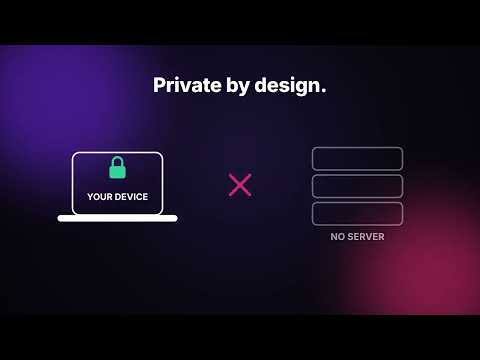
Ever got a notification, opened the chat… and the message was gone? DM Rewind keeps a private copy of the messages and photos you receive on Instagram Web, so you can still read them after they're unsent — and see what they said before an edit. ━━━━━━━━━━━━━━━━━━ ✨ WHAT IT DOES ━━━━━━━━━━━━━━━━━━ • See unsent messages – Messages that disappear are flagged with a red UNSENT tag. • See edited messages – Know exactly what a message said before it was edited. • Instant notifications – Get a desktop alert the moment someone unsends or edits a message. • Recover unsent photos – A copy of each received photo is saved, so it stays viewable even after Instagram's link expires. • Watches your inbox too – Get alerted when someone unsends in a chat you don't have open. • Search your archive – Find any saved message or conversation in seconds. • One-click privacy – Mute notifications or clear your history anytime. ━━━━━━━━━━━━━━━━━━ 🚀 HOW IT WORKS ━━━━━━━━━━━━━━━━━━ 1. Install DM Rewind and pin it to your toolbar. 2. Open instagram.com and use your DMs as usual. Open chats are watched in full; other chats are watched through your inbox list. 3. When someone unsends or edits a message, you'll get a notification — click it to see what they originally sent. No setup, no account, no login required. ━━━━━━━━━━━━━━━━━━ 🔒 PRIVACY FIRST ━━━━━━━━━━━━━━━━━━ • All captured messages and photos are stored locally on your own device. • Nothing is uploaded to our servers or shared with anyone. • We never ask for your Instagram password. • Works only on instagram.com. ━━━━━━━━━━━━━━━━━━ ❓ FAQ ━━━━━━━━━━━━━━━━━━ Q: Can I see messages that were unsent before I installed it? A: No. DM Rewind can only save messages that arrive while it's installed and Instagram Web is open. Q: Does it catch messages in chats I don't have open? A: Partly. For closed chats, DM Rewind watches your inbox list, which only shows each chat's latest message. If that message is unsent, you get an alert — with its text when it was visible in the list, but photos and messages hidden behind "2 new messages" can't be saved. Edits show up once you open the chat. For full coverage, keep important chats open in their own browser tabs: every open chat is watched completely, photos included. Q: Does it save "view once" photos? A: No. Instagram doesn't show view-once media on the web, and DM Rewind respects that choice. Q: Does it work on the Instagram mobile app? A: No, it works with Instagram in the Chrome browser on desktop. Q: Will the other person know I'm using it? A: No. DM Rewind only reads what's already shown in your browser and doesn't send anything to Instagram. Q: How do I turn off notifications or delete my saved messages? A: Open the popup: use the bell icon to mute notifications, or click "Clear history." ━━━━━━━━━━━━━━━━━━ 💬 FEEDBACK ━━━━━━━━━━━━━━━━━━ Found a bug or have an idea? Contact us through the Support tab. If DM Rewind helped you, a quick review means a lot! ⭐ Disclaimer: DM Rewind is not affiliated with, endorsed by, or sponsored by Instagram or Meta Platforms, Inc. "Instagram" is a trademark of Meta Platforms, Inc.
5 out of 51 rating
Details
- Version2.1.8
- UpdatedOctober 27, 2026
- Offered byNuvrel Labs
- Size31.04KiB
- LanguagesEnglish (United States)
- Developer
Email
mdrgy1@gmail.com - Non-traderThis developer has not identified itself as a trader. For consumers in the European Union, please note that consumer rights do not apply to contracts between you and this developer.
Privacy

DM Rewind for Instagram – See Unsent & Edited Messages has disclosed the following information regarding the collection and usage of your data. More detailed information can be found in the developer's privacy policy.
DM Rewind for Instagram – See Unsent & Edited Messages handles the following:
This developer declares that your data is
- Not being sold to third parties, outside of the approved use cases
- Not being used or transferred for purposes that are unrelated to the item's core functionality
- Not being used or transferred to determine creditworthiness or for lending purposes
Support
For help with questions, suggestions, or problems, please open this page on your desktop browser