

Distraction Free Mode — Google Docs & Slides
概述
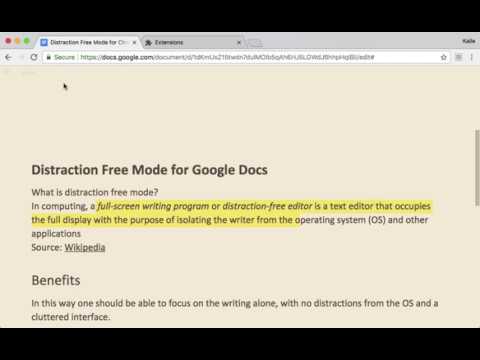
The distraction free mode (▣) for Google Docs and Google Slides hides all controls and buttons and lets you focus on creation.
FOCUS ON THE WRITING The distraction free mode for Google Docs and Google Slides hides all controls and buttons and lets you focus on writing and creating. Now with a full screen mode. Tip: Check out the Google Docs and Google Slides keyboard shortcuts for the things you do the most and you never have to switch back again. RELEASE NOTES v.2.2.0 - 2023 Distraction Free Mode has been updated to work with the latest version of Google Docs! THEMES FOR EVERY SITUATION Pick the style that suits you, whether it's the dark mode suitable for late night prose, sepia for caffeine-fueled poems, or the clean gray default gray theme. More are planned for the future. NOTES This extension requires access to change how Google Docs and Google Slides works, but your documents are safe. The code for this extension can be found on the website: http://flowapps.co/distractionfree PRIVACY POLICY Please read the privacy policy here: http://flowapps.co/distractionfree/privacypolicy.html
4.2 星(5 星制)71 个评分
详情
隐私权
该开发者已声明,您的数据:
- 不会因未获批准的用途出售给第三方
- 不会为实现与产品核心功能无关的目的而使用或转移
- 不会为确定信用度或放贷目的而使用或转移
支持
若有任何疑问、建议或问题,请在桌面浏览器中打开此页面