

Distraction Free Mode — Google Docs & Slides
Gambaran keseluruhan
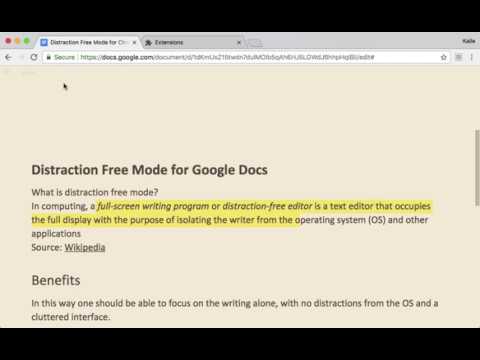
The distraction free mode (▣) for Google Docs and Google Slides hides all controls and buttons and lets you focus on creation.
FOCUS ON THE WRITING The distraction free mode for Google Docs and Google Slides hides all controls and buttons and lets you focus on writing and creating. Now with a full screen mode. Tip: Check out the Google Docs and Google Slides keyboard shortcuts for the things you do the most and you never have to switch back again. RELEASE NOTES v.2.2.0 - 2023 Distraction Free Mode has been updated to work with the latest version of Google Docs! THEMES FOR EVERY SITUATION Pick the style that suits you, whether it's the dark mode suitable for late night prose, sepia for caffeine-fueled poems, or the clean gray default gray theme. More are planned for the future. NOTES This extension requires access to change how Google Docs and Google Slides works, but your documents are safe. The code for this extension can be found on the website: http://flowapps.co/distractionfree PRIVACY POLICY Please read the privacy policy here: http://flowapps.co/distractionfree/privacypolicy.html
4.2 daripada 572 rating
Butiran
- Versi2.2.0
- Dikemas kini11 Januari 2023
- Saiz16.47KiB
- BahasaEnglish
- Pembangun
- Bukan pedagangPembangun ini masih belum mengenal pasti dirinya sebagai pedagang. Untuk pengguna dalam Kesatuan Eropah, harap maklum bahawa hak pengguna tidak digunakan pada kontrak antara anda dengan pembangun ini.
Privasi

Pembangun ini mengisytiharkan bahawa data anda
- Tidak dijual kepada pihak ketiga, di luar kes penggunaan yang diluluskan
- Tidak digunakan atau dipindahkan untuk tujuan yang tidak berkaitan dengan fungsi teras item
- Tidak digunakan atau dipindahkan untuk menentukan kepercayaan kredit atau untuk tujuan pemberian pinjaman
Sokongan
Untuk mendapatkan bantuan tentang pertanyaan, cadangan atau masalah, sila buka halaman ini pada penyemak imbas desktop anda