

Distance Measurer

Overview
A simple distance measuring tool for web pages
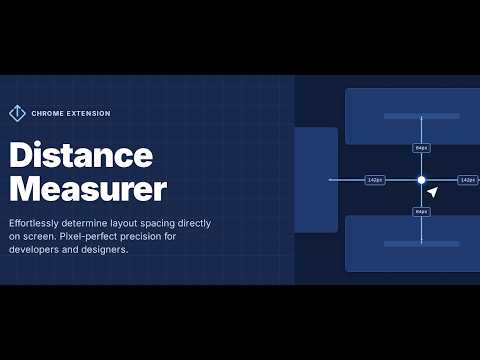
Instantly measure pixel-perfect spacing between any two elements on a webpage. No DevTools. No hassle — just double-tap D and click. How it works? If you have an experience of working with figma, it might be more intuitive for you, 1. Double-tap "D" (activating measurement mode) and keep it pressed 2. Place your cursor over elements (hover) to highlight them with a dashed outline 3. Click on any two elements on the webpage, that you want to measure distance between (keep the key "D" pressed while both are not selected to keep measurement mode active) Important! When you are not pressing "D", measurement mode will go down 4. You will instantly see * Solid frames on selected elements * Connecting guidelines * Exact pixel values for vertical and horizontal distances between selected elements 5. Click on information icon to discover more details on the opened modal about the distance between selected elements * Vertical and horizontal distances * Top-to-top, bottom-to-bottom, etc. * All relevant spacing variations 6. Move your cursor over the eye icon in the modal to temporarily make it transparent and see what’s behind it. Features * Precise vertical and horizontal pixel measurements * Keyboard-first workflow (no toolbars or clutter) * Customizable on-screen colors * Clean and non-intrusive — click outside to exit instantly * Dedicated details panel for advanced distance insights Who is it for? * Designers comparing mockups to live implementations * Developers verifying layout precision and alignment * QA engineers tracking down spacing inconsistencies * Anyone who needs to answer: “How many pixels are between these two elements?” — without leaving the page.
5 out of 54 ratings
Details
- Version1.1.3
- UpdatedMarch 24, 2026
- Size243KiB
- LanguagesEnglish
- DeveloperWebsite
Email
navasardianmichael@gmail.com - Non-traderThis developer has not identified itself as a trader. For consumers in the European Union, please note that consumer rights do not apply to contracts between you and this developer.
Privacy

Distance Measurer has disclosed the following information regarding the collection and usage of your data. More detailed information can be found in the developer's privacy policy.
Distance Measurer handles the following:
This developer declares that your data is
- Not being sold to third parties, outside of the approved use cases
- Not being used or transferred for purposes that are unrelated to the item's core functionality
- Not being used or transferred to determine creditworthiness or for lending purposes
Support
For help with questions, suggestions, or problems, please open this page on your desktop browser