Item logo image for Dissatisfied

Dissatisfied

Item media 2 (screenshot) for Dissatisfied
Item video thumbnail
Item media 2 (screenshot) for Dissatisfied
Item video thumbnail
Item media 2 (screenshot) for Dissatisfied

Overview

Get rid of parts of UI, when focussing on content.

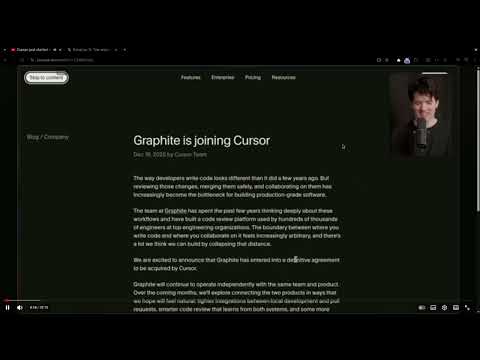
Basically a focus mode for apps like Twitter and Youtube, and maybe more! Crtl+Shift+X = Toggle Twitter Focus Crtl+Shift+Y = Toggle Youtube Focus on a video only

Details

  • Version
    0.3.1
  • Updated
    January 31, 2026
  • Size
    38.97KiB
  • Languages
    English
  • Developer
    Email
    priyanshpokemon@gmail.com
  • Non-trader
    This developer has not identified itself as a trader. For consumers in the European Union, please note that consumer rights do not apply to contracts between you and this developer.

Privacy

The developer has disclosed that it will not collect or use your data. To learn more, see the developer’s privacy policy.

This developer declares that your data is

  • Not being sold to third parties, outside of the approved use cases
  • Not being used or transferred for purposes that are unrelated to the item's core functionality
  • Not being used or transferred to determine creditworthiness or for lending purposes

Related

Studify - Mindful YouTube for Study & Focus

5.0

Block distracting YouTube content. Switch between Study Mode and Browse Mode for mindful, focused viewing.

Accessible Shortcuts

5.0

Enables the creation of accessible keyboard shortcuts for focusing on elements within a web page.

Faceit UI Cleaner

5.0

Hide unwanted UI elements on faceit.com

YouTube Focus Mode

5.0

Hide comments and live chat on YouTube to stay focused on content.

YouTube Simple View: Hide distractions & more

5.0

Focus tool for YouTube: control distracting elements settings to stay focused.

Focus Mode for Youtube

5.0

Watch what you want to watch with no distractions.

YouTube Focus Mode

5.0

Remove distracting elements from YouTube for better focus

YouTube Distraction Killer

4.8

Remove distracting elements from YouTube's layout

Minimal YT

5.0

Removes all the distractions from youtube

YouTube Focus Mode

0.0

Hides YouTube distractions and allows you to focus on the video.

Focus Indicator

5.0

Adds a high-contrast outline around the element with keyboard focus

Focus Mode

0.0

Hide distracting webpage elements. Activate via popup, click to hide. Press Escape to finish. Elements auto-restore on refresh

Studify - Mindful YouTube for Study & Focus

5.0

Block distracting YouTube content. Switch between Study Mode and Browse Mode for mindful, focused viewing.

Accessible Shortcuts

5.0

Enables the creation of accessible keyboard shortcuts for focusing on elements within a web page.

Faceit UI Cleaner

5.0

Hide unwanted UI elements on faceit.com

YouTube Focus Mode

5.0

Hide comments and live chat on YouTube to stay focused on content.

YouTube Simple View: Hide distractions & more

5.0

Focus tool for YouTube: control distracting elements settings to stay focused.

Focus Mode for Youtube

5.0

Watch what you want to watch with no distractions.

YouTube Focus Mode

5.0

Remove distracting elements from YouTube for better focus

YouTube Distraction Killer

4.8

Remove distracting elements from YouTube's layout

Google apps