


概要
Manage, search, and export your Discord messages with ease.
Discrub is a Discord data management tool. It runs as a browser extension that activates on Discord, letting you export messages, search and filter conversations, purge messages and reactions, work with offline data packages, and analyze your message history. Discord Data Package - Drop the official Discord ZIP (Privacy & Safety, Request All My Data) directly into Discrub - Handles large packages (multi-gigabyte, tens of thousands of entries) and packages from any Discord locale - Browse every server, channel, and DM in your archive without touching the Discord API - Rich rendering: markdown, mentions, custom emojis, reply quotes, embed previews - Multi-attachment messages render every attachment, not just the first - Optional rehydration to fetch reactions, edits, and replies from Discord, with smart caching - Bulk delete or bulk edit straight from the package - Export package channels to HTML for portable archives - Mention analytics across an entire package Export - Formats: HTML, CSV, JSON, media-only - 9 built-in presets plus custom preset creation - Downloads avatars, attachments, emojis, and media for offline viewing - Thread messages exported as separate files - HTML exports include search, image lightbox, system message rendering, and dark/light theme toggle - Bulk export across multiple channels with filter support - Streaming downloads stay flat in memory regardless of file size Message Feed - Discord-style chunked feed with role colors, role icons, reply indicators, and inline system messages (pins, joins, boosts, thread-created) - Voice and Stage channel chat browsable alongside text channels - Virtualization for smooth scrolling on large channels - Click-to-jump on reply bars, pinned-message notices, and thread-created notices - Find threads even when their starter message has been deleted, via the Load Thread modal - Focused view mode that hides chrome for full-width reading Search and Filter - Search hits Discord's API: filter by content, author, mentions, has-types (image, video, link, file, embed, sound, sticker, snapshot, poll, forward), date range with time-of-day precision, pinned status, author type - Lazy pagination: results stream in as you scroll, with optional Load All - Refine narrows already-loaded messages client-side, with no API calls Purge - Search-based message deletion with per-user targeting - Attachments-only mode strips attachments while keeping text - Reactions mode removes specific users' reactions - Multi-channel bulk purge with filter support - Archived threads auto-unarchive during purge and re-archive when done Reactions - View who reacted, with avatars - Remove individual reactions or batch-remove across selected messages - Admin bulk removal of all reactions or all of a specific emoji Analytics - Mention counts across loaded messages - CSV export of analytics data Privacy - Discord token stays in the browser - No data sent to external servers - All processing is local Additional - Dark and light mode (matches Discord theme) - Forum channel support showing both active and archived posts - Guided tour and contextual help icons - Pause, resume, and cancel for long operations - Status log with real-time operation feedback - Configurable operation delays - Discrub Classic (v1) built in for legacy users Click the Discrub icon while using Discord in your browser to start.
5 点満点で 4.5310 件の評価
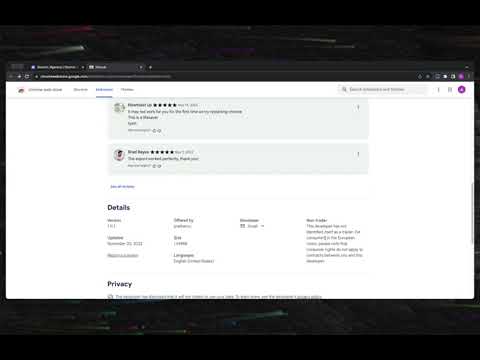
詳細
- バージョン2.0.4
- 更新:2026年5月13日
- 提供元prathercc
- サイズ7.2MiB
- 言語English (United States)
- デベロッパー
メール
prathercc@gmail.com - 非取引業者このデベロッパーは取引業者として申告していません。EU 加盟国の消費者とこのデベロッパーとの間に締結された契約には、消費者の権利が適用されません。
プライバシー

このデベロッパーは、お客様のデータについて以下を宣言しています
- 承認されている以外の用途で第三者に販売しないこと
- アイテムの中心機能と関係のない目的で使用または転送しないこと
- 信用力を判断する目的または融資目的で使用または転送しないこと
サポート
質問や提案、問題がある場合は、パソコンのブラウザでこのページを開いてください