


Descripción general
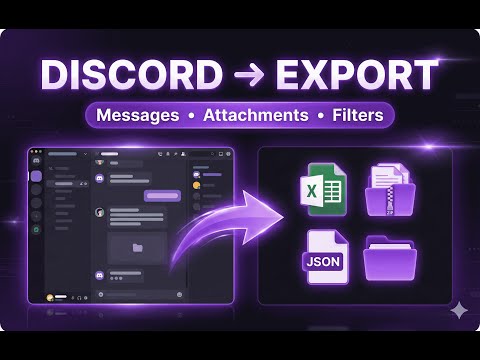
Exporta chats de Discord a Excel, CSV, JSON y HTML. Descarga archivos adjuntos en formato ZIP. Filtra por fecha y canal.
Discord Chat Exporter 🔍 Overview Discord Chat Exporter is a powerful browser extension that allows you to easily export Discord chat logs, messages, and attachments. Whether you need to back up important conversations, analyze community discussions, or archive channel data, this tool helps you get the job done efficiently. 🔑 Key Features 📤 Multiple Export Formats • Excel (.xlsx) - Formatted spreadsheets for easy viewing and analysis. • CSV (.csv) - A universal format compatible with all spreadsheet software. • JSON (.json) - Raw data format, perfect for developers and data processing. • HTML (.html) - Beautiful web format that preserves chat layout. 🔍 Smart Filtering • Date Range - Export messages from a specific period. • Message Limit - Control the number of messages to export. • Channel Selection - Precisely select which channels to export. 📎 Attachment Support • View all attachments in a list or grid view. • Preview images directly within the extension. • Batch download attachments as a ZIP file. • Select and download specific attachments. 🔐 Secure Token Detection • One-click token detection directly from the Discord page. • Secure local storage on your device. • No data is sent to external servers. 🌍 Multi-Language Support • English, Simplified Chinese, Traditional Chinese • Spanish, French, German, Italian • Japanese, Korean, Portuguese • And more... 🎨 Discord-Style Dark Theme • A beautiful dark interface that matches Discord's style. • Easier on the eyes during extended use. 🛠️ How to Use 1. Open Discord - Visit discord.com and log in. 2. Click the Extension - Open the Discord Chat Exporter popup. 3. Auto-Detect Token - Click "Auto-Detect" to securely get your session. 4. Select Server & Channel - Choose what you want to export. 5. Set Filters - Configure your date range and message limit. 6. Export - Download in your preferred format. 🔒 Privacy & Security • All data processing is done locally in your browser. • Your Discord token is stored only on your device. • No analytics or tracking. • Open and transparent operation. 💡 Use Cases • Community Managers: Archive important discussions and announcements. • Researchers: Collect data for community analysis. • Personal Backup: Save meaningful conversations and memories. • Content Creators: Export chat logs for content creation. • Developers: Export data for bot development and testing. 🖥️ Technical Requirements • Chrome, Edge, or any Chromium-based browser. • An active Discord account. • An internet connection.
Detalles
- Versión1.0.4
- Fecha de actualización2 de enero de 2026
- Tamaño791KiB
- Idiomas55 idiomas
- DesarrolladorSitio web
Correo electrónico
exportmyinfohq@gmail.com - No comercianteEl desarrollador no se identificó como comerciante. Si eres un consumidor de la Unión Europea, ten en cuenta que los derechos de los consumidores no aplican a los contratos entre el desarrollador y tú.
Privacidad

Este desarrollador declara el siguiente tratamiento de tus datos:
- No se venden a terceros, excepto en los casos de uso aprobados
- No se utilizan ni transfieren para fines no relacionados con la funcionalidad principal del elemento
- No se utilizan ni transfieren para determinar tu solvencia ni ofrecer préstamos


