


Przegląd
Export Discord messages, media, and files effortlessly. Save your chats with ease!
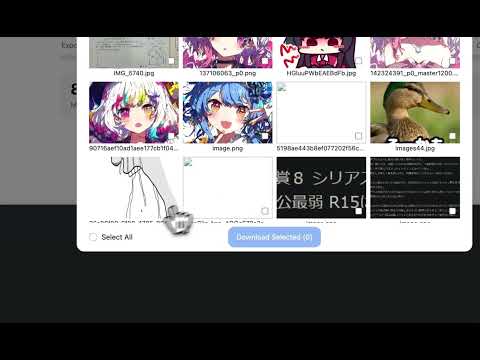
Need a simple way to back up or archive your Discord conversations? With our Discord Chat Export Tool, you can quickly export all your messages and files with just one click. 👨🏻💻 Features ✓ Export all messages from any channel with a single click ✓ Export messages from private conversations ✓ Export messages with attachments, including images, videos, audio files, and other documents ⚙️ Get Started 1. Open the conversation in Discord that you wish to export. 2. Launch the extension and click 'Export' to start downloading your messages. 🔒 Data Privacy Your data privacy is paramount. All data processing occurs on your local machine; it never transits through our servers, ensuring no one else has access to your collected data. ⚠️ Disclaimer DISCORD is a trademark of Discord Inc. Discord Chat Export Tool is an independent tool and is not affiliated with, endorsed, sponsored, or otherwise connected to Discord Inc. or any of its affiliates or subsidiaries.
4,7 na 5279 ocen
Szczegóły
- Wersja1.2.5
- Zaktualizowano17 maja 2026
- FunkcjeZawiera zakupy w aplikacji
- Rozmiar5.46MiB
- JęzykiJęzyki: 55
- DeweloperWitryna
E-mail
summer25934930@gmail.com - Osoba niebędąca przedsiębiorcąTen deweloper nie określił, że jest przedsiębiorcą. Pamiętaj, że prawa konsumentów nie obowiązują w przypadku umów zawartych między tym deweloperem a konsumentami z Unii Europejskiej.
Prywatność

Ten wydawca oświadcza, że Twoje dane
- nie są sprzedawane osobom trzecim (z wyjątkiem uzasadnionych przypadków)
- nie są używane ani przesyłane w celach niezwiązanych z podstawową funkcją produktu,
- nie są używane ani przesyłane w celu ustalenia zdolności kredytowej lub udzielania pożyczek.
Pomoc
Jeśli masz pytania, sugestie lub problemy, otwórz tę stronę w przeglądarce na komputerze