


總覽
將 Discord 訊息儲存為 CSV、JSON 或 Excel,並輕鬆下載媒體和附件。
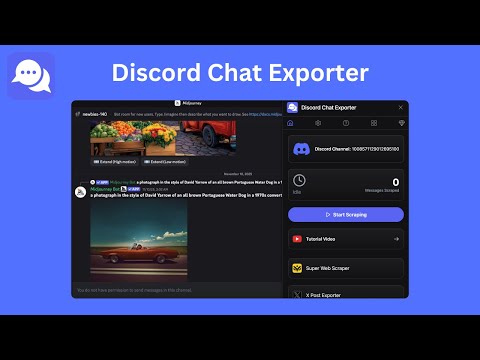
⭐ Discord Chat Exporter - Save and Download Discord Messages, Media, and Threads with Ease 1. Overview 🌐 Looking for a simple way to save Discord messages or keep a record of your chat history? Discord Chat Exporter is a powerful Chrome extension that helps you export Discord conversations, download attachments, and archive messages from any channel or thread. With only a few clicks, you can export chats in CSV, JSON, or Excel (XLSX) and download all related media files. This tool is perfect for users who want a smooth and reliable solution for Discord data export, Discord backup, or Discord chat archiving. 2. Key Features 🚀 2.1 Export Messages from Any Channel Automatically collect messages from Discord channels and threads. Works with both public and private server channels you can access. Easily captures long conversations, community discussions, and group chats. 2.2 Multiple Export Formats Save your Discord data in CSV, JSON, or Excel (XLSX). Choose the format that fits your workflow, whether it is data analysis, archiving, or development use. 2.3 Full Message Details and Attachments Capture message content, timestamps, authors, replies, and thread details. Download attachments including images, videos, documents, and more. Great for archiving Discord media or saving files shared in long conversations. 2.4 Customizable Export Settings Adjust sorting options such as oldest first or newest first. Select preferred export formats and file structures. Configure default behavior in a simple settings panel. 2.5 Friendly and Easy Interface Clean and intuitive layout for beginners and advanced users. Clear buttons, simple instructions, and smooth exporting workflow. Designed for a fast and frustration free experience. 3. How to Use Discord Chat Exporter 🧭 1. Open the Discord channel or thread you want to export. 2. Expand any sub threads you want to include. 3. Open the extension and click "Start Scraping". 4. The extension will automatically capture all messages and attachments. 5. Click "Export Messages" to download your chat history in CSV, JSON, or Excel. 6. Use the settings page to adjust export preferences anytime. 4. Why Choose Discord Chat Exporter 🎯 4.1 Save Time Automates message capturing and removes the need for manual copying. 4.2 Supports All Major Formats Export in CSV for spreadsheets, JSON for developers, or Excel for easy browsing and visualization. 4.3 Captures Everything Important Messages, attachments, reactions, and more are included so no crucial data is lost. 4.4 Works for Any Conversation Compatible with channels, private groups you can access, threads, and sub threads. 4.5 Beginner Friendly No technical skills required. Simple menu, easy buttons, and step by step flow. 5. Who Should Use This Extension 👥 Discord Chat Exporter is ideal for: Community managers saving server history Researchers analyzing chat patterns Content creators and moderators archiving conversations Team members saving project discussions Anyone who wants a complete backup of Discord chats and media If you need a dependable tool for exporting Discord chat logs or downloading Discord attachments, this extension is built for you. 6. Start Exporting Your Discord Data Today 📥 Take control of your Discord messages with Discord Chat Exporter. Download the extension and enjoy the easiest way to save Discord chats, export messages into structured files, and download every attachment for complete data management. 7. Data Privacy 🔐 Your exported data stays on your device. Nothing is sent or stored on our servers. Your privacy and security are fully protected. 8. Disclaimer ⚠️ This extension is independently developed by MicroPlugin and is not affiliated with Discord or its official services.
3.9 分 (滿分 5 分)7 個評分
詳細資料
隱私權

「Discord Chat Exporter - 一鍵匯出 Discord 訊息和附件」已揭露下列關於收集及使用資料的資訊。 如需更多詳細資訊,請參閱開發人員的《privacy policy》。
Discord Chat Exporter - 一鍵匯出 Discord 訊息和附件 會處理下列資料:
這位開發者就你的資料做出下列聲明:
- 除經核准的用途外,不會將你的資料販售給第三方
- 不會基於與商品核心功能無關的目的,使用或轉移資料
- 不會為了確認信用度或基於貸款目的,使用或轉移資料
支援
如有疑問或建議,請前往開發人員的支援網站