


Overview
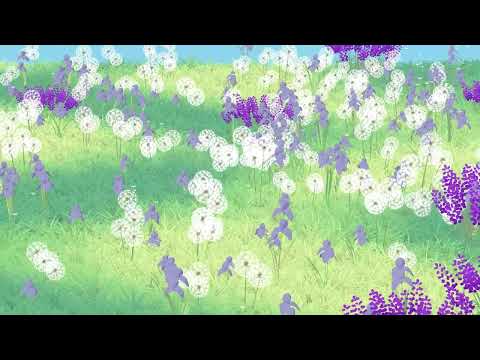
A free, offline 3D garden in your new tab. Four seasons, local-time day/night, interactive plants, and optional nature sounds.
Replace your desktop new tab with Alicia's free interactive 3D garden. Choose spring, summer, autumn or winter once in the extension settings; future tabs remember your choice and load only that season. The default view is the garden with a search box that uses your chosen Chrome search provider and one day/night button. Local time chooses daylight (06:00–18:00) or night on every new tab. Drag to rotate, right-drag or WASD to move, scroll to inspect plants, and double-click to focus. Desktop retains its full plant models, materials and three detail levels in a smaller scene footprint. The optional clock and nature sound live in settings. A packaged garden image covers interactive initialization without an introductory/loading page. Models and audio work offline after installation. No account, ads, subscription, analytics, location or host permissions. Preferences stay on your device; inactive gardens pause. Search uses Chrome’s Search API only when you submit a query and respects your default search provider. The search permission serves only that new-tab search box; this extension never changes your default search engine. Keep the included credits when sharing this complete unmodified extension for free. Performance varies by device; no guaranteed FPS. This is a desktop Chrome new-tab extension. A separate lightweight phone web build is available to host; it is not an Android/iPhone Chrome extension. A fixed, sharp 4K day/night still appears first on every opening; once detail is ready, the live garden fades in from the same camera crop and neutral wind pose. There is no initial image fade, blur or drift. Optional HTML-in-Canvas clock rendering is feature-detected with an ordinary HTML fallback; no experimental flags are needed. English, Japanese and Chinese interfaces are included. Follow your browser language automatically, or choose a language once in Garden settings. Settings, search, daylight controls and help follow your choice. Gmail, Google Images and Google products links are available in the top corner. Existing browser history and Google sign-ins remain in Chrome; this extension does not read them. Native Chrome autocomplete and customized new-tab shortcuts are not embedded or imported.
0 out of 5No ratings
Details
- Version1.4.6
- UpdatedNovember 2, 2026
- Size87.44MiB
- Languages3 languages
- DeveloperWebsite
Email
1228566953qq@gmail.com - Non-traderThis developer has not identified itself as a trader. For consumers in the European Union, please note that consumer rights do not apply to contracts between you and this developer.
Privacy

This developer declares that your data is
- Not being sold to third parties, outside of the approved use cases
- Not being used or transferred for purposes that are unrelated to the item's core functionality
- Not being used or transferred to determine creditworthiness or for lending purposes