


개요
AI 음성 인식 도구. 50+개 언어 지원. 실시간 음성 변환. 받아쓰기, 음성 입력, 음성 인식, 딕테이션.
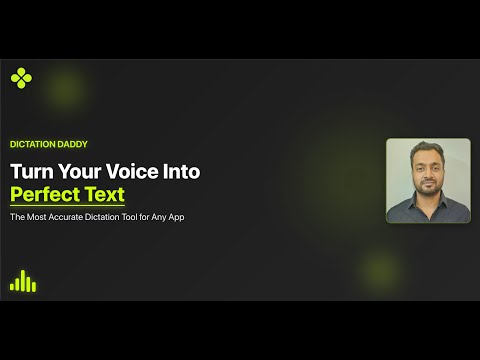
AI powered dictation tool to convert speech to text on any site in 50+ languages using advanced speech recognition technology. Dictation Daddy transcribes your voice to text in realtime. Use it to type anywhere. What It Does Convert speech to text in real-time on any website - emails, Slack, WhatsApp, forms, and documents. Powered by advanced AI including Whisper, OpenAI, Claude and GPT models for superior accuracy compared to built-in dictation tools. Key Benefits Faster Than Typing: Speak naturally to accelerate your workflow 99% Accuracy: Outperforms Windows/Mac dictation and Dragon 50+ Languages: Supports global languages and accents (Portuguese, German, French, etc.) Smart Features: Automatic punctuation, capitalization, and homophone recognition Personalized: Learns your writing style and custom vocabulary Powerful Features Voice Commands: Say "new line," "semicolon," or "happy face" for formatting and emojis Medical Transcription: High-accuracy clinical notes with medical terminology Universal Integration: Works on every website with Chrome extension support Custom Prompts: Format output for different contexts Auto-Copy: Transcripts automatically copied for immediate use Recent Updates v1.27: Direct text insertion into input fields v1.21: Custom prompts, knowledge insertion, and vocabulary features v1.16: Improved compatibility across websites Get Started Free trial includes 30 minutes of transcription Install the Chrome extension and experience accurate AI voice typing today. Support: rahul@dictationdaddy.com Trusted by professionals who report "magical" accuracy and superior performance over competing tools.
5점 만점에 4.3점평점 26개
세부정보
개인정보 보호
DictationDaddy: speech to text & Voice Recognition에서 데이터 수집 및 사용과 관련하여 다음 정보를 공개했습니다. 더 자세한 정보는 개발자의 privacy policy을 참고하세요.
DictationDaddy: speech to text & Voice Recognition 항목은 다음을 처리합니다.
개발자가 사용자 데이터에 관해 다음과 같이 선언했습니다
- 승인된 사용 사례를 제외하고 서드 파티에 판매하지 않음
- 항목의 핵심 기능과 관련 없는 목적으로 사용하거나 전송하지 않음
- 신용도 판단 또는 대출 목적으로 사용하거나 전송하지 않음
지원
질문, 제안 또는 문제와 관련하여 도움이 필요하면 데스크톱 브라우저에서 이 페이지를 여세요.