

Dictation for Gmail & AI Email Writer - Speak2mail

Overview
Speak your reply in rough words. Speak2mail reads the thread and writes the professional email for you, right in Gmail.
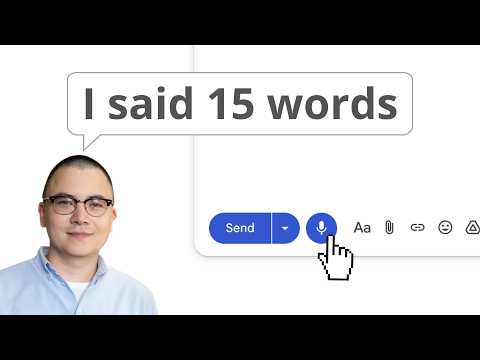
Speak2mail is an AI Email Assistant with built-in voice dictation and an AI email writer for Gmail. Speak your reply the way it comes to you, and Speak2mail turns it into a clean, professional email in your tone, right inside Gmail. Not a raw transcript you have to fix. Not a generic draft that sounds like a robot. You decide what to say, it does the writing, and you review every word before it sends. Free to start: about 20 emails, no card. 🟣 Reasons to choose Speak2mail: 🗣️ Edit the draft by voice, not by keyboard Plain dictation gives you a transcript to fix by hand. Speak2mail lets you say what to change ("shorter", "friendlier", "move Thursday up") and rewrites only that. The one thing basic voice typing and generic AI can't do. ✍️ It writes what you meant, in your tone Speak2mail doesn't paste what you said word for word. It understands your intent and writes a proper email that sounds like you, not like a robot. You set your tone and writing style once in Settings, and every email matches it. Prefer your exact words? Set AI rewriting to Minimal and it only fixes punctuation and structure. 🔒 You stay in control You decide what to say. It does the writing. You read every draft and send it yourself. Nothing is sent automatically, and your original meaning is always preserved. 🛟 Your words are never lost If generation ever fails, everything you dictated is pasted into the email as is. You never speak twice. ⚡ Faster than typing Reply to dozens of emails in the time it takes to say them, while staying fully in control of the final response. Stop wasting your mornings writing and rewriting. 🧩 No Complicated Setup Just install the extension and the button appears directly inside Gmail, ready to use. No integrations or complex configuration required. 🚀 Two-Click Workflow Click "Start Recording" → "Stop Recording", and your AI email response is ready. No typing required. No copying and pasting. No manual prompts. 🌍 Built-In Language Translation Speak in your native language and automatically generate emails in your recipient’s language. Perfect for international communication. 🟣 Perfect for: - Executives and managers handling high email volumes - Sales and account managers closing deals and managing clients - Customer support specialists responding to inquiries fast - HR professionals and recruiters communicating with candidates - Consultants and freelancers juggling multiple clients - Real estate and insurance agents with constant client communications - Non-native English speakers who think faster than they type - Anyone with typing fatigue 🟣 Key features: 🎙️ Real-time speech recognition Watch your words appear on screen as you speak, so you can catch a misheard word before it reaches the draft. No saying "comma, period, new paragraph": you talk, it handles the sentences. ✨ AI email writing from speech Dictate email in Gmail and watch AI transform your casual speech into polished, professional messages. 🧠 Smart, context-aware replies AI Email Response Generator automatically analyzes the thread context to craft responses that are clear, professional, and perfectly aligned with the conversation. 📝 Edit any part by voice Need to change just one sentence or paragraph? Select any text in your draft and simply say what to change. AI updates only the selected text while leaving the rest untouched. 🌍 Instant language translation Speak naturally in your native language, and Speak2mail instantly translates your response into the recipient’s language. 🔁 Check the meaning before you send Writing in a language that isn't your first? After your email is generated, click "Show translation" button to see it translated back into your own language. Confirm the meaning is exactly right, then send. 🔒 Privacy-first design Your email dictation is processed in real time. We never store voice data or email content. Your conversations stay private. 📩 Seamless Gmail integration The ultimate Gmail voice typing tool. Dictate, generate and send. All without ever leaving the Gmail window. No tab switching, no copy-pasting. 🟣 How it works: 1️⃣ Open any Gmail message Reply to an existing email or start a new one. Our dictation tool for Gmail works everywhere in your inbox. 2️⃣ Start speaking Click "Start Recording" and speak naturally. Our Gmail dictation engine displays your words on screen in real time. 3️⃣ Stop speaking and get a polished email Click "Stop Recording". Within seconds, a clean, professional email is inserted directly into your compose window, ready to send. 🟣 Frequently Asked Questions: 📌 What is Speak2mail? A Chrome extension that lets you answer email by talking. You say the reply in your own words, and Speak2mail writes it as a professional email, right in your Gmail compose window. The typing is what it takes off your plate. 📌 How does Speak2mail work? You get a Start Recording button in the Gmail compose window. Click it and say your reply. Your words appear on screen as you speak, so you can catch a misheard word before it reaches the draft. Click Stop Recording, and the AI turns what you said into a ready-to-send email, right there in the compose window. 📌 What are the benefits of using Speak2mail? Time, mostly. You stop spending five minutes wording a reply you already knew after ten seconds. And the quality holds: every email goes out professional, even the twentieth of the day. 📌 Is it safe to use Speak2mail? Yes. Speak2mail reads the open thread to write the reply, and stores none of it. Your speech and your emails are not kept anywhere. What you dictate goes into your draft and nowhere else. 📌 Is it just simple voice typing for Gmail? No. Voice typing gives you a transcript, "umm"s included. Speak2mail listens for what you mean and writes the email around it, with the tone and structure a business reply needs. It may rephrase your words, but never your point. 📌 Can I customize how the AI writes my emails? Yes. Set your writing style once (tone, guidelines), and every email follows it. Want zero interpretation? Set AI rewriting to Minimal: your exact words, cleaned up, punctuation and structure only. 📌 Can I refine an email after it's generated? Yes. After Speak2mail generates your email, you can continue refining it with your voice. Select any sentence or paragraph and describe the changes you want. AI updates only the selected text, making it easy to improve your email without rewriting the entire message. 📌 How do I know the email says what I meant? If you dictate in one language and the email is written in another, Speak2mail can show you the finished email translated back into your language. Click "Show translation" to check the meaning before you send. The translation is a preview only and is never sent as part of your email. 📌 What languages does it support? Speak2mail supports 100+ languages and dialects. You can use Speak2mail to communicate with recipients in a foreign language. Just speak your intent in your native language and Speak2mail will generate a professional email response in your recipient's language. 📌 What email writing tasks is it best for? It works best when you need to reply to a high volume of emails every day. 📌 Do I need to switch tabs? No. Speak2mail works directly inside Gmail, next to the “Send” button. 📌 Can I use it for free? Yes. You can start for free with 150 credits (up to 20 AI-generated emails). No credit card is required. It is the perfect way to experience the AI Email Writer with Voice Typing for Gmail. Once your free credits are used, you can switch to a subscription plan or purchase additional credits to keep up with your regular email workflow.
4.9 out of 547 ratings
Details
- Version0.1.0.5
- UpdatedJuly 19, 2026
- FeaturesOffers in-app purchases
- Size143KiB
- LanguagesEnglish
- DeveloperWebsite
Email
support@speak2mail.com - Non-traderThis developer has not identified itself as a trader. For consumers in the European Union, please note that consumer rights do not apply to contracts between you and this developer.
Privacy

Dictation for Gmail & AI Email Writer - Speak2mail has disclosed the following information regarding the collection and usage of your data. More detailed information can be found in the developer's privacy policy.
Dictation for Gmail & AI Email Writer - Speak2mail handles the following:
This developer declares that your data is
- Not being sold to third parties, outside of the approved use cases
- Not being used or transferred for purposes that are unrelated to the item's core functionality
- Not being used or transferred to determine creditworthiness or for lending purposes
Support
For help with questions, suggestions, or problems, please open this page on your desktop browser