

DialogDrive

概述
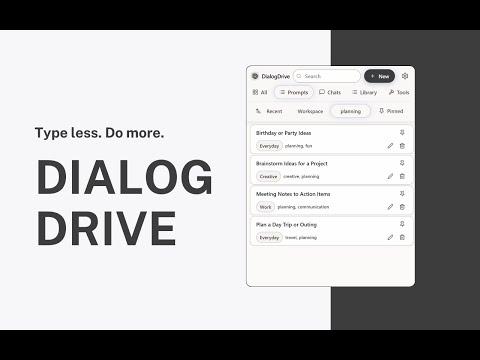
Save, organize, and reuse prompts anywhere. Bookmark chats, build a personal portable AI workspace, and launch ideas with one click.
DialogDrive is a local-first workspace for prompts and AI chats. Save, create, and reuse prompts anywhere. Bookmark conversations and insert saved prompts with a single keystroke, without copy-paste clutter. What you can do - Save and reuse prompts; bookmark chat sessions to revisit - Create new prompts with placeholders (e.g., [name], [deadline]) - Launch your library from any textbox with \ and insert in seconds - Organize with Workspaces, tags, pins, and favorites - Find anything fast with instant, library-wide search - Work from the toolbar popup or side panel on any site How it works - Save a prompt or capture a chat you want to reuse - Organize with Workspaces, tags, and pins - Press \, search, and insert Why it’s faster - One-keystroke command palette for text - No copy-paste loops; fill fields and insert - Keyboard-first flow that keeps you in context - Availability & integrations Always available in Chrome via the toolbar or side panel Page-level enhancements (capture, inline insert) are currently optimized for ChatGPT Additional site-specific enhancements may be added over time; when enabled, the extension will request only the minimum additional host permissions required Privacy - Local-first data: prompts, bookmarks, counts, and settings stay on your device - No analytics. No tracking. No external servers - Optional Chrome Sync if you want your library across devices - Permissions used - storage — Save your library and settings locally - activeTab — Insert into the current tab after a user action - clipboardWrite — Optional fallback for paste support - contextMenus — Right-click “Save” and “Paste latest” - notifications — Lightweight confirmations after saves - sidePanel — Persistent view of your workspace - Host access limited to domains required for page-level features (currently: chat.openai.com, chatgpt.com) Why DialogDrive Minimal, fast, and reliable. A clean, dense UI that stays out of your way—and a keyboard-first workflow for people who work with AI every day. Attribution & trademarks DialogDrive is an independent project and is not affiliated with, sponsored by, or endorsed by OpenAI, Anthropic, Google, Microsoft, Perplexity, or any other provider. All trademarks and brand names are the property of their respective owners and are used for identification only.
0 星(5 星制)无评分
详情
- 版本1.1.0
- 上次更新日期2025年10月10日
- 大小305KiB
- 语言English (United States)
- 开发者
邮箱
dialogdrive@outlook.com - 非交易者该开发者尚未将自己标识为交易者。欧盟地区消费者须知:消费者权利可能不适用于您与该开发者达成的合约。
隐私权

该开发者已声明,您的数据:
- 不会因未获批准的用途出售给第三方
- 不会为实现与产品核心功能无关的目的而使用或转移
- 不会为确定信用度或放贷目的而使用或转移