


Overview
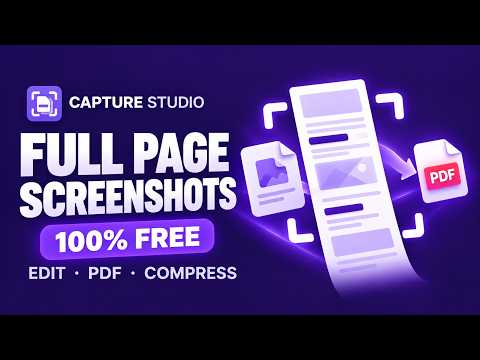
Capture full pages, edit, redact, and compress images or PDFs. Free, private, and entirely on your device.
The whole page. All yours. Capture Studio turns webpages and long scrolling emails into useful, shareable files. Capture, annotate, redact, export and compress in a full-screen workspace. Every included feature is free, without an account, subscription, trial or watermark. CAPTURE THE USEFUL PART • Full-page, visible-area and selected-region screenshots. • Automatic reading-pane detection for long emails and app layouts, with a manual scrolling-area picker. • Smart placement for sticky and fixed bars, an option to hide fixed bars, capture delay, progress and cancellation. • Oversized captures split into editable parts. The complete capture automatically fits into one image, or exports as one combined PDF. MAKE IT YOURS • Arrows, shapes, text, highlights, numbered steps and freehand drawing. • Solid redaction for sensitive details, crop, rotation, undo and redo. • Full-resolution copying and image context actions, including flattened edits. • A searchable local library with image import and autosave. EXPORT AND KEEP IT LIGHT • PNG, JPEG and WebP export, proportional image resizing and quality controls. Complete-capture dimensions and automatic uniform fitting keep long pages intact. • PDF export with automatic paper/orientation recommendations, 13 common paper sizes and continuous image-sized pages. • Existing-PDF optimization that preserves text and vectors, plus optional raster compression with resolution and quality controls. • Actual output sizes before downloading. Already compact files may not shrink. JUST YOU AND YOUR FILES Capture, editing, compression and storage happen in your browser profile. The extension has no analytics or cloud-upload service. It requests access to the tab you explicitly invoke it on, rather than persistent access to every website. Saved projects can contain screenshots, page titles, source URLs and your edits; these remain local until you export or share them yourself. Requires Chrome 147 or newer. Chrome-protected pages and incognito capture are not supported. Pane detection does not traverse embedded frames or shadow-root scrollers. Very dynamic, transformed or clipped layouts can have capture limits. Export important files as a backup: uninstalling or clearing extension data removes your local library. Use solid redaction for sensitive information. Editable originals remain locally until deleted. Raster PDF compression creates image-based copies and removes searchable text, links, forms, annotations and signatures; keep originals when these matter. This is an independent MIT-licensed modernization of Peter Coles’s original Full Page Screen Capture project. Original attribution is retained. All included functionality is available without a payment.
0 out of 5No ratings
Details
- Version2.2.5
- UpdatedOctober 27, 2026
- Size2.85MiB
- LanguagesEnglish
- DeveloperWebsite
Email
ramiabdi20@gmail.com - Non-traderThis developer has not identified itself as a trader. For consumers in the European Union, please note that consumer rights do not apply to contracts between you and this developer.
Privacy

This developer declares that your data is
- Not being sold to third parties, outside of the approved use cases
- Not being used or transferred for purposes that are unrelated to the item's core functionality
- Not being used or transferred to determine creditworthiness or for lending purposes
Support
For help with questions, suggestions, or problems, visit the developer's support site