

DAVTAR Privacy Shield
1 rating
)
Overview
Create private profiles for saved websites and help fill supported forms and verification codes.
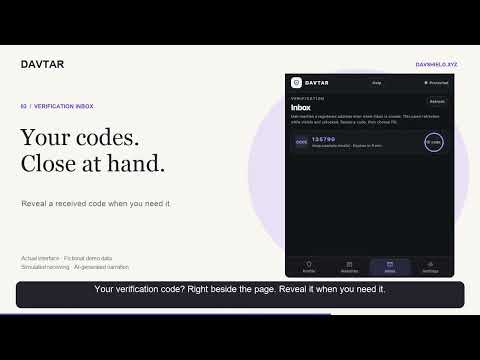
Share less of your personal information when signing up online. DAVTAR gives you a separate private profile and email alias for each supported website, helps fill signup and login forms, and brings received verification codes into a side panel beside the page. PRIVATE PROFILES FOR YOUR WEBSITES • Use a generated name, email alias, username and password on supported forms. • Review your profile and choose when to fill. Return to saved websites with the same profile. • Save the login username a website accepted. Saved names, aliases and credentials stay in your encrypted local vault. VERIFICATION CODES, CLOSE AT HAND • Find received email verification codes in DAVTAR's Inbox, then reveal or fill them on the matching website. • Received verification messages are encrypted; codes decrypt locally on your device. • Optional suggestions and automatic code filling require your approval for that exact HTTPS website. With the vault unlocked, matching codes can fill on the active saved website even when the panel is closed. Filling sends input events, so the website may continue automatically. CONTROL YOUR SAVED PROFILES • Keep website mappings in an owner-bound, encrypted vault on this device, with automatic locking after inactivity. • Download an encrypted vault backup, export your DAVTAR data, or request deletion from Settings. • Connect related hostnames to one saved profile only after reviewing both. Connections stay local and grant no extra browser access. Only connect websites you know use the same account. HELP WITHOUT LEAVING THE PANEL Send a support message and read replies in My requests. You can also send, update or remove private 1–5 star feedback. Private feedback is separate from public Chrome Web Store reviews; the Store review link is available regardless of score. GET STARTED Open DAVTAR from Chrome on a supported website, sign in, create or unlock your local vault, and review the profile before filling. Website accounts still require you to complete the site's own signup and verification steps. KNOW THE LIMITS DAVTAR does not submit forms, solve CAPTCHAs or restore website sessions. Enter your correct birthday manually; birthday and gender controls are not filled. Websites may reject aliases or require a phone number or other checks. Compatibility and continued account access are not guaranteed for every website. Do not use private profiles for payments, government services, identity or age verification, account recovery, or other high-risk workflows. SUPPORT & PRIVACY Support messages and private feedback are linked to your signed-in account and readable by authorized DAVTAR support staff. They are encrypted at rest with service-held keys, separately from verification messages. Opening Help, selecting stars or previewing diagnostics sends nothing. Sending requires your action; diagnostic attachments and manually entered site context are optional. Retention and removal details: https://support.davshield.xyz/privacy/ Help: https://support.davshield.xyz/support/
5 out of 51 rating
Details
- Version0.16.6
- UpdatedOctober 31, 2026
- Offered byDAV Shield
- Size143KiB
- LanguagesEnglish
- Developer
Email
admin@davshield.xyz - Non-traderThis developer has not identified itself as a trader. For consumers in the European Union, please note that consumer rights do not apply to contracts between you and this developer.
Privacy

DAVTAR Privacy Shield has disclosed the following information regarding the collection and usage of your data. More detailed information can be found in the developer's privacy policy.
DAVTAR Privacy Shield handles the following:
This developer declares that your data is
- Not being sold to third parties, outside of the approved use cases
- Not being used or transferred for purposes that are unrelated to the item's core functionality
- Not being used or transferred to determine creditworthiness or for lending purposes
Support
For help with questions, suggestions, or problems, visit the developer's support site