


نظرة عامة
Download zoomable images from web pages
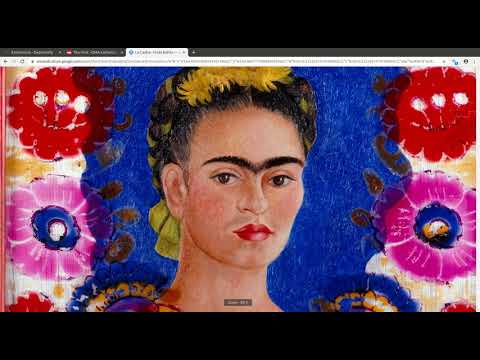
This browser extension detects zoomable images in web pages and allows you to download them. It works with the websites of many different museums, art galleries, libraries, and numerous other sources. How to use : - Install the extension - open a zoomable image in your browser - click the grey magnifying glass icon in the address bar - the icon should become blue, denoting that the extension is now actively listening for zoomable image requests - zoom into the image or reload the page - if the extension detects zoomable images, you should see a small badge appear over the icon specifying the number of images found - click the icon to open the image in the dezoomify website - click "dezoomify", and wait while the image downloads at maximal resolution - right-click on the downloaded image, and choose "Save As" to save it as a PNG file on your computer For more information about dezoomify, see: https://github.com/lovasoa/dezoomify This addon is a free software. See its source code at: https://github.com/lovasoa/dezoomify-extension/
4.9 من 536 تقييمًا
التفاصيل
- الإصدار1.0.1
- تم التحديث12 أغسطس 2021
- الحجم3.6MiB
- اللغاتEnglish
- مطوّر برامجموقع إلكتروني
البريد الإلكتروني
contact@ophir.dev - غير تاجرلم يعرِّف هذا المطوِّر نفسه بصفته جهة تجارية. بالنسبة إلى المستهلكين في الاتحاد الأوروبي، يُرجى العِلم أنّ حقوق المستهلك لا تسري على العقود المُبرمة بينك وبين هذا المطوِّر.
الخصوصية

يُقِرّ هذا المطوِّر بأنّ بياناتك:
- لا يتم بيعها لأطراف ثالثة خارج إطار حالات الاستخدام المُتفَق عليها.
- لا تُستخدَم أو تُنقَل لأغراض غير متعلِّقة بالوظيفة الرئيسية للعنصر.
- لا تُستخدَم أو تُنقَل لتحديد الأهلية الائتمانية أو لأغراض الإعارة.
دعم
للحصول على مساعدة بخصوص الاستفسارات أو الاقتراحات أو المشاكل، انتقِل إلى الموقع الإلكتروني لدعم المطوّرين.