


Overview
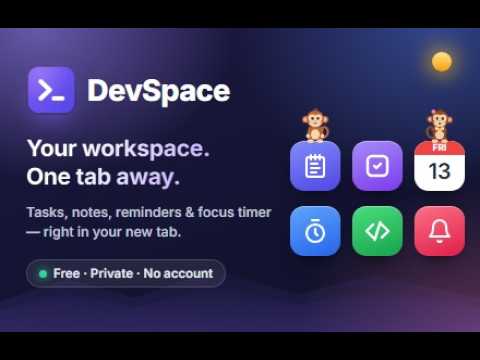
Your workspace. One tab away. Tasks, reminders, calendar, notes, shortcuts and a focus timer, all stored locally.
DevSpace turns every new tab into a calm, beautiful workspace for developers. Plan your day, keep focus and jump to any site, without signing in to anything. WHAT'S INSIDE • App launcher: Notes, Tasks, Calendar, Focus, Projects, Bookmarks and more as glossy app icons. Pin your favourite websites next to them with their real logos. Right-click or press and hold an icon to edit or remove it. • Tasks: priorities, due dates and times, tags, subtasks, repeating tasks and undo. Quick-add understands plain words, e.g. "Review PR !high #backend tomorrow 3pm". • Reminders: real desktop notifications with snooze, repeating reminders and recovery of the ones you missed. • Calendar: month view and agenda for your events. • Focus timer: Pomodoro focus sessions with short and long breaks that keep running across reloads, plus daily and weekly stats. • Projects and time tracking: one-click project timers with today's and this week's totals. • Notes: Markdown with code highlighting, pinning and search. • Quick Links and Launchpad: your everyday sites and developer tools, with your browser bookmarks one click away. • Search everything (Ctrl/⌘ K): find tasks, notes and shortcuts or run any action from the keyboard. Nothing found? It offers to search Google. • Sun, moon and weather: a sky arc shows where the sun or moon is right now, with sunrise and sunset for your city, and the temperature if you turn weather on. • Two little monkeys: they walk along the search bar, hop from icon to icon, climb your widgets and play catch, and at the lunch and snack times you choose, they sit down together and eat. Click one to say hi, or turn them off in Settings. • Workspaces: keep Work and Personal separate. • Make it yours: dark, light or system theme, accent colours, frosted glass, wallpapers (including your own image or video), a lock-screen style screensaver, and a Classic layout if you prefer it. • Water glass (new): turn it on in Settings → Appearance for liquid glass that bends the light behind it. Switches whose knob lifts into a glass lens, tabs with a glass bubble you can drag between options, glass sliders and buttons. PRIVATE BY DESIGN • No account, no server, no analytics, no ads. • Everything you create stays in your own browser profile, on your device. • Works offline. The only online feature is the optional weather (off by default). • Export or import all your data as one JSON backup at any time. Works in Google Chrome and Brave. Made by Lorka — https://devspace.lorka.in Privacy policy: https://devspace.lorka.in/privacy/
5 out of 53 ratings
Details
- Version1.2.0
- UpdatedNovember 18, 2026
- Size1.34MiB
- LanguagesEnglish (United States)
- DeveloperWebsite
Email
girish.soni.official@gmail.com - Non-traderThis developer has not identified itself as a trader. For consumers in the European Union, please note that consumer rights do not apply to contracts between you and this developer.
Privacy

DevSpace: Developer New Tab has disclosed the following information regarding the collection and usage of your data. More detailed information can be found in the developer's privacy policy.
DevSpace: Developer New Tab handles the following:
This developer declares that your data is
- Not being sold to third parties, outside of the approved use cases
- Not being used or transferred for purposes that are unrelated to the item's core functionality
- Not being used or transferred to determine creditworthiness or for lending purposes
Support
For help with questions, suggestions, or problems, visit the developer's support site