Item logo image for DevKit Forge — Developer Toolbox

DevKit Forge — Developer Toolbox

Item media 6 (screenshot) for DevKit Forge — Developer Toolbox
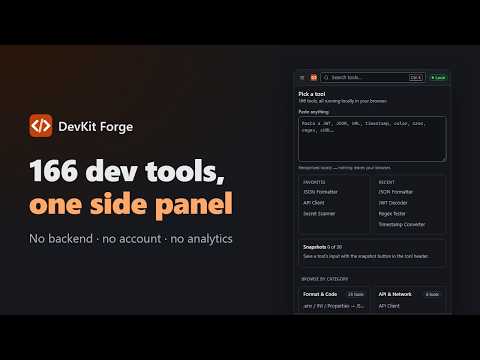
Item video thumbnail
Item media 2 (screenshot) for DevKit Forge — Developer Toolbox
Item media 3 (screenshot) for DevKit Forge — Developer Toolbox
Item media 4 (screenshot) for DevKit Forge — Developer Toolbox
Item media 5 (screenshot) for DevKit Forge — Developer Toolbox
Item media 6 (screenshot) for DevKit Forge — Developer Toolbox

Overview

Format data, test APIs and check a page’s SEO and accessibility from one side panel, with 166 free developer tools.

DevKit Forge is a toolbox for building, testing and auditing websites, in the side panel next to the page you are working on. It has 166 tools, all free, and it works without an account or a server of its own. **What you can do** • Paste structured data to format it, check it for errors or convert it to another format, even when the file is large. • Build API requests, save them in collections and run them as tests, or check an endpoint on a schedule you set. • See how search engines read a page, and crawl the site you are on to find broken links and duplicate titles. • Inspect the page in front of you, from an element's styles to its colour contrast and loading speed. • Review a page's security setup and get suggested fixes, which you decide whether to apply. • Test accessibility with a WCAG 2.2 checklist, keyboard checks and a simulation of how people with low vision see the page. • Keep the problems you find in one place with their evidence, and follow each fix until it is verified. • Read stack traces with their source maps and search through large log files. • Reach for small everyday helpers, such as decoding a token or testing a regular expression. **Where you already work** • A DevTools panel that lists the tab's requests and opens any of them in the API client. • Select text on a page and press Alt+Shift+Q to decode or format it right there. • Press Ctrl+K (⌘K on Mac) to open any tool. • Optional on-device AI where your browser provides a built-in model. Every tool works without it. **Privacy** • What you paste and the pages you inspect are processed in your browser. DevKit Forge doesn't collect them, and it has no analytics or ads. • Access to a page, its cookies or a site is asked for only when you use a tool that needs it, and only for the site you choose. • Network requests are made only for what you set up: your API requests, checks and crawls of sites you allowed, and the issue tracker or chat webhooks you configured. • Anonymous crash reports (version, browser, tool and a redacted error) are sent to the developer. You can turn them off in Settings → Feedback. • Settings shows everything stored on your device. There you can clear it, take back permissions and set how long data is kept. DevKit Forge is not affiliated with Google or with the other products and services it works with.

Details

  • Version
    0.2.0
  • Updated
    October 28, 2026
  • Offered by
    HGStudio
  • Size
    3.01MiB
  • Languages
    2 languages
  • Developer
    Đỗ Hải Giang
    Khu 8 thị trấn than uyên than uyên, lai châu Lai Chau, Lai Châu 30000 VN
    Email
    haigiang.1998@gmail.com
    Phone
    +84 327 919 568
  • Trader
    This developer has identified itself as a trader per the definition from the European Union and committed to only offer products or services that comply with EU laws.

Privacy

Manage extensions and learn how they're being used in your organization

DevKit Forge — Developer Toolbox has disclosed the following information regarding the collection and usage of your data. More detailed information can be found in the developer's privacy policy.

DevKit Forge — Developer Toolbox handles the following:

Personally identifiable information

This developer declares that your data is

  • Not being sold to third parties, outside of the approved use cases
  • Not being used or transferred for purposes that are unrelated to the item's core functionality
  • Not being used or transferred to determine creditworthiness or for lending purposes

Related

Developer Toolbox

0.0

A privacy-first developer utility toolbox for inspecting pages, extracting assets, formatting data, and more — entirely local.

Web Audit+

0.0

Audits Performance, Accessibility, Best Practices, SEO and Agentic readiness on any page, with copy-paste fix prompts.

Web Developer Tools

5.0

500+ Web development tools to inspect, debug, edit, test, optimize and audit websites. Privacy-first developer utility.

Developer Tool in One: SEO, Ruler & Text Checker And More

5.0

All-in-one web developer toolkit. Inspect SEO, audit colors, measure with a page ruler, check text, and capture screenshots.

Facet: Accessibility & SEO Inspector

0.0

Accessibility and SEO audit in one side panel: contrast, headings, ARIA, alt text, meta, hreflang and structured data.

DevKit – Developer Tools

4.9

Everyday developer tools in a popup. Format, decode, convert and test data without leaving the page. Runs entirely on your device.

Site Audit Lab: Website Accessibility Checker & SEO Audit (WCAG 2.2)

0.0

WCAG accessibility checker and on-page SEO audit. See failing elements on the page. Scan up to 5 pages of a site free, no account.

Buzzmatic Advanced SEO-Toolbar

5.0

Professional SEO analysis tool with comprehensive page insights, accessibility testing, and quick access to essential SEO resources.

GRP - AI & Search Visibility Inspector

5.0

On-page SEO inspector with structured-data check, JS render diff, AI Visibility signals and tech-stack detection.

WebExtract - Web Assets & UI Inspector

5.0

Privacy-first web developer toolkit. Inspect CSS, extract assets, test responsive viewports, audit SEO & network APIs.

devkit

0.0

Dev toolbox: clear a site's cache and data, inspect the page, rewrite requests, utilities, and AI analysis with your own model.

Scorly - SEO Score & OG Preview

0.0

Free, open source, no account. SEO score, on-page insights, AI-copy & vibe-code checks, social previews, localhost vs live diffs.

Developer Toolbox

0.0

A privacy-first developer utility toolbox for inspecting pages, extracting assets, formatting data, and more — entirely local.

Web Audit+

0.0

Audits Performance, Accessibility, Best Practices, SEO and Agentic readiness on any page, with copy-paste fix prompts.

Web Developer Tools

5.0

500+ Web development tools to inspect, debug, edit, test, optimize and audit websites. Privacy-first developer utility.

Developer Tool in One: SEO, Ruler & Text Checker And More

5.0

All-in-one web developer toolkit. Inspect SEO, audit colors, measure with a page ruler, check text, and capture screenshots.

Facet: Accessibility & SEO Inspector

0.0

Accessibility and SEO audit in one side panel: contrast, headings, ARIA, alt text, meta, hreflang and structured data.

DevKit – Developer Tools

4.9

Everyday developer tools in a popup. Format, decode, convert and test data without leaving the page. Runs entirely on your device.

Site Audit Lab: Website Accessibility Checker & SEO Audit (WCAG 2.2)

0.0

WCAG accessibility checker and on-page SEO audit. See failing elements on the page. Scan up to 5 pages of a site free, no account.

Buzzmatic Advanced SEO-Toolbar

5.0

Professional SEO analysis tool with comprehensive page insights, accessibility testing, and quick access to essential SEO resources.

Search
Clear search
Close search
Google apps
Main menu