

Devices Preview
1 rating
)
Overview
Render any webpage inside a realistic phone/tablet mockup, on demand.
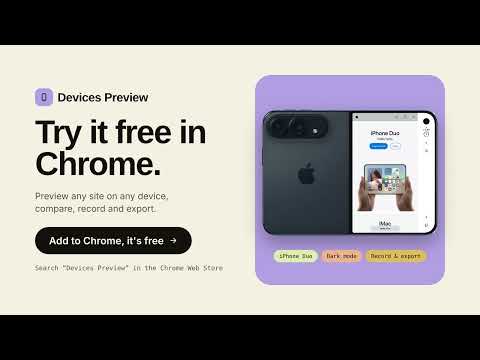
See how any website looks on a real phone or tablet, right in your browser. Switch devices, compare them side by side, take screenshots and record videos. 100% free: no ads, no account. Click the Devices Preview icon on any page and it appears inside a realistic device frame. The page is live, not an image: you can scroll, tap, fill in forms and browse just like on a phone. 📱 41 REALISTIC DEVICES • Includes 41 realistic smartphone and tablet mockups. • Features selected Apple, Google Pixel and Samsung Galaxy device designs. • Features a foldable phone design in folded and unfolded positions, available in two colours. • Realistic screen proportions with detailed interface elements, including the status bar and Safari address bar. ✅ THE REAL MOBILE VERSION OF THE SITE • Websites think you're on a real phone, so you see their actual mobile version, not a squeezed desktop page • Click links and reload freely: you stay on the same device 🔀 COMPARE UP TO 3 DEVICES • See a small phone, a big phone and an Android side by side • Spot design problems in one look • Save all of them in a single screenshot 📸 SCREENSHOTS IN ONE CLICK • Includes the device frame, on a transparent background • Sharp, high-resolution images • Perfect for presentations, websites, app stores and social media 🎥 FREE VIDEO RECORDING • Record just the phone, or your whole tab • Download as MP4 (HD or 4K), WebM or GIF • Your videos stay on your computer and are never uploaded • Ideal for product demos, tutorials, bug reports, testing and client presentations 🛠 EASY CONTROLS • Portrait or landscape • Zoom in and out • Light or dark mode • Show each device's name and screen size (optional) 👥 MADE FOR • Developers and testers checking that a site works on mobile, without owning every phone • Designers presenting their work on real devices • Marketers and founders creating mockups and promo videos • Support and sales teams recording clear demos 🚀 HOW IT WORKS 1. Open any website and click the Devices Preview icon 2. Pick a device, or choose Compare to see up to 3 3. Rotate or zoom if you like 4. Click the camera for a screenshot, or the record button for a video 5. When you stop recording, choose MP4, WebM or GIF and download 🔒 PRIVATE BY DESIGN • Only works on the tab where you turn it on • Screenshots and videos are saved on your computer • No ads, no tracking, no sign-up
5 out of 51 rating
Details
- Version0.1.6
- UpdatedNovember 8, 2026
- Offered bycleanqa
- Size20.16MiB
- LanguagesEnglish
- Developer
Email
mouadrs2846@gmail.com - Non-traderThis developer has not identified itself as a trader. For consumers in the European Union, please note that consumer rights do not apply to contracts between you and this developer.
Privacy

This developer declares that your data is
- Not being sold to third parties, outside of the approved use cases
- Not being used or transferred for purposes that are unrelated to the item's core functionality
- Not being used or transferred to determine creditworthiness or for lending purposes