

DeSlop

Overview
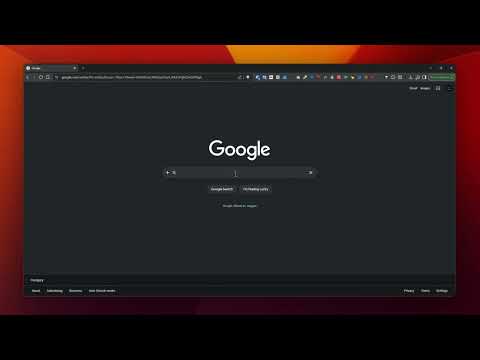
Defaults Google searches to the Web filter and hides AI Mode. No AI Overview, just classic search results.
DeSlop gives you four independent toggles to remove Google’s AI features from search. Hide the AI summary block from search results. The extension uses CSS plus a MutationObserver to catch the block as soon as Google streams it onto the page. Remove the AI Mode tab from the search results navigation and the matching pill from Google’s homepage search bar. Both become unclickable. Strip the udm=50 parameter from URLs that route you to AI Mode pages so you land on the regular All tab instead. Covers cases where you arrive at AI Mode from outside Google. Optionally redirect every Google search to the Web filter using udm=14 for the classic ten-blue-links view without AI, shopping, or knowledge panels. How it works: three independent layers with guards against false positives. URL handling is declarative through Chrome’s network stack with two static rulesets. CSS targets Google’s current container for the AI summary block directly. A DOM-scanner fallback walks for the heading text and stops at result-block boundaries so adjacent organic results are never touched. The scanner supports localized heading text across the major European languages and Japanese. Supported domains: google.com, google.hu, google.de, google.co.uk, google.fr, google.es, google.it, google.nl, google.pl, google.com.au, google.ca, google.co.jp. Privacy: no network requests, no analytics, no page-content reads. The scanner only matches heading text and button labels, never the content of organic results. The only data stored is the four toggle states, synced across your Chrome profiles via chrome.storage.sync. Open source under MIT — github.com/paulgegenyi/deslop
0 out of 5No ratings
Details
- Version1.0.1
- UpdatedJune 8, 2026
- Size17.91KiB
- LanguagesEnglish
- Developer
Email
palgegenyi@gmail.com - Non-traderThis developer has not identified itself as a trader. For consumers in the European Union, please note that consumer rights do not apply to contracts between you and this developer.
Privacy

This developer declares that your data is
- Not being sold to third parties, outside of the approved use cases
- Not being used or transferred for purposes that are unrelated to the item's core functionality
- Not being used or transferred to determine creditworthiness or for lending purposes