

DeskMirror – translate web pages in place

Overview
A draggable mirror that shows the translation right in place, in the page's own layout, fonts and colors.
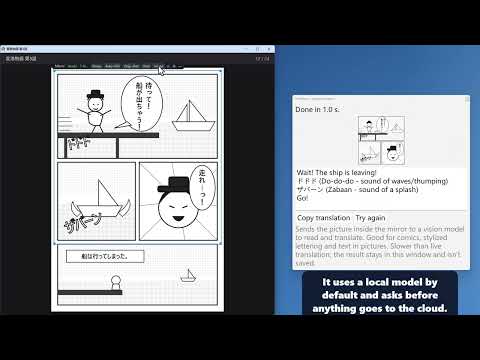
DeskMirror puts the translation right where the original text is. Open a "mirror" on any web page, then drag or resize it as you like. Inside the frame, the same spot of the page appears translated, with the page's own layout, fonts, colors, images and links. Outside the frame, the page stays as it is, so you can always tell which sentence is which. HOW TO USE • Click the mirror icon in the toolbar, or press Alt+Shift+M, to open the mirror on the current page; press again to close it. • Drag the tab above the mirror to move it; drag the border to resize it. • Links, buttons and input boxes inside the mirror still work: clicks go to the real page underneath. • Hold Ctrl+Alt+O to peek at the original; click the language button on the tab to switch directions. COLLAPSE INTO A BUBBLE Drag the mirror by the grip on its tab to the edge of the page and it smoothly shrinks into a small ball docked there, pausing translation. Drag the ball out and it becomes a dashed frame that follows the pointer while translation starts; let go and the mirror is back. Clicking the ball also brings it back where it was. Optionally, turn on "Show the mirror bubble on every page" in Settings, and every page gets a bubble that opens the mirror with one click. VIDEO SUBTITLES Cover a video that has captions turned on, and the whole subtitle track is translated ahead of playback; each line replaces the original caption as it plays, with no waiting. It follows you into fullscreen too. TRANSLATE WHAT YOU TYPE Press Space three times in a text box to translate what you typed into the language you set, right in place; press it three times again to get your original back. TWO LOOKS Classic, or a glass style: translucent and rounded, with refraction at the edges, following your system's light or dark mode. CHOOSE YOUR TRANSLATION SERVICE • A model on your own computer (for example Ollama): free, and the text never leaves your PC. • A cloud AI service: common providers are built into Settings; pick one and enter your own API key, or enter the address of any OpenAI-compatible API. • After you enter a key, "Get models" lists the models you can use and picks one that suits translation. • The tab shows the tokens sent and received, like a network monitor. BACKUP SERVICES Line up several services. When one runs out of credit, has a wrong key, retires a model, can't be reached or is too slow, the next one takes over without redoing finished text. The mirror's tab shows which backup is in use. LANGUAGES The original language is detected automatically, or you can pick English, Chinese, Japanese, Korean or Indonesian. Translate into Simplified Chinese, Traditional Chinese, English, Japanese, Korean or Indonesian. The interface is in English or Chinese. PRIVACY • No account and no developer server; no analytics or tracking. • Page text is sent only to the translation service you choose; with a local model it never leaves your computer. • API keys are stored only in this browser on your computer and sent only to their own service. NOTES • Only text on the page is translated, not text inside images or subtitles burned into videos. • The mirror can't open in Chrome's built-in PDF viewer, on chrome:// pages or in the Web Store. • To translate any app, game or video subtitles on your screen, try the Windows desktop version: https://github.com/Yudreamsky/deskmirror Free and open source, with every feature included. Source: https://github.com/Yudreamsky/deskmirror-browser Feedback: a885187@gmail.com
0 out of 5No ratings
Details
- Version0.8.0
- UpdatedOctober 15, 2026
- Offered bya885187
- Size186KiB
- Languages3 languages
- Developer
Email
a885187@gmail.com - Non-traderThis developer has not identified itself as a trader. For consumers in the European Union, please note that consumer rights do not apply to contracts between you and this developer.
Privacy

DeskMirror – translate web pages in place has disclosed the following information regarding the collection and usage of your data. More detailed information can be found in the developer's privacy policy.
DeskMirror – translate web pages in place handles the following:
This developer declares that your data is
- Not being sold to third parties, outside of the approved use cases
- Not being used or transferred for purposes that are unrelated to the item's core functionality
- Not being used or transferred to determine creditworthiness or for lending purposes