

DesignMD - Extract design.md for Cursor & AI

Overview
Extract design tokens from any page into a design.md for AI coding agents.
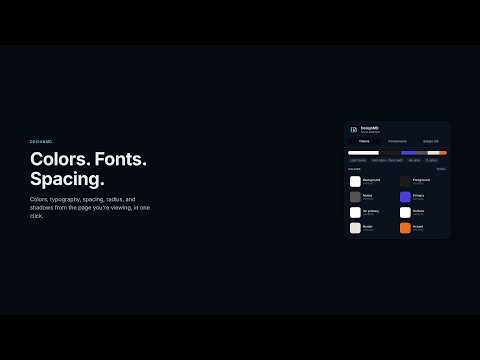
Turn any website into a design.md your AI coding agent can follow. DesignMD reads the computed styles of the page you're viewing and turns them into a clean, structured design system file. Give it to Cursor, Claude Code, Windsurf, or any AI agent, and the UI it generates matches the real thing instead of guessing. HOW IT WORKS 1. Open any website: a product you admire, a competitor, or your own site. 2. Click the DesignMD icon in your toolbar. 3. Download or copy design.md and give it to your AI coding agent. WHAT'S INSIDE DESIGN.MD • Rules for agents: theme, primary action color, fonts, spacing grid, corner radius, and text contrast • Colors: semantic roles (background, foreground, muted, primary, surface, border, accent) plus the full palette ranked by usage • Typography: font stacks, a text style for every role (H1 to H6, body, small, button, link, code), and a type scale • Spacing, border radius, and elevation (shadow) scales, with 4px or 8px grid detection • Components: button variants, inputs, links, and cards with their exact styles • Layout: container widths and responsive breakpoints • The site's own CSS variables, when its stylesheets are readable • Implementation: ready-to-paste CSS variables (Tailwind CSS v4 compatible) and a Tailwind CSS v3 config IN THE POPUP • Color swatches you can click to copy • Live previews of the site's buttons, inputs, and cards rendered with the extracted styles • A full preview of design.md before you download it • Light and dark themes PRIVATE BY DESIGN Extraction runs entirely in your browser. DesignMD only reads the tab you click it on, and only when you click it. It makes no network requests and collects no data. DETERMINISTIC OUTPUT The same page always produces the same file, so diffs stay meaningful when a site's design changes. Works on regular websites. Browser pages (like settings or new tabs) and extension stores can't be read by any extension.
0 out of 5No ratings
Details
- Version0.1.0
- UpdatedNovember 1, 2026
- Offered bySantosh Bhandari
- Size119KiB
- LanguagesEnglish
- Developer
Email
santoshvandari100@gmail.com - Non-traderThis developer has not identified itself as a trader. For consumers in the European Union, please note that consumer rights do not apply to contracts between you and this developer.
Privacy

This developer declares that your data is
- Not being sold to third parties, outside of the approved use cases
- Not being used or transferred for purposes that are unrelated to the item's core functionality
- Not being used or transferred to determine creditworthiness or for lending purposes