


Overview
Turn reference images into structured prompts and copyable prompt layers.
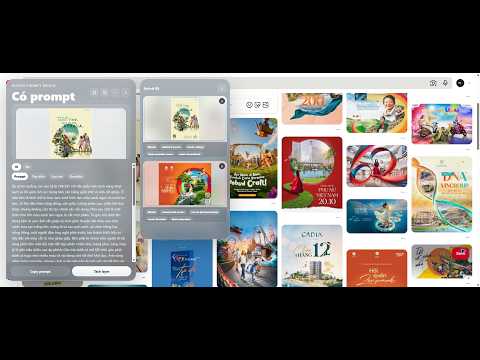
Design Prompt Bridge helps designers and creative teams turn a selected reference image or screenshot crop into a structured recreation prompt with copyable prompt layers. Use it to analyze visual composition, subject, background, lighting, typography, colors, UI elements, negative prompts, and review checklists. The extension provides Vietnamese and English prompt views, fast and quality analysis modes, editable per-layer customization, local history, and one-click copy actions. How it works: 1. Right-click an image, use the extension button, or crop part of the current page. 2. Choose Fast or Quality analysis. 3. Review the generated prompt, customize each layer, copy the parts you need, and reuse them in your design workflow. Privacy: Images are sent only when you explicitly start an analysis. Results and history are stored locally in your Chrome profile. API keys are never stored in the extension.
0 out of 5No ratings
Details
- Version2.0.0
- UpdatedJune 21, 2026
- Size63.17KiB
- LanguagesEnglish
- DeveloperWebsite
Email
nguyenvanhaoiuh@gmail.com - Non-traderThis developer has not identified itself as a trader. For consumers in the European Union, please note that consumer rights do not apply to contracts between you and this developer.
Privacy

Design Prompt Bridge has disclosed the following information regarding the collection and usage of your data. More detailed information can be found in the developer's privacy policy.
Design Prompt Bridge handles the following:
This developer declares that your data is
- Not being sold to third parties, outside of the approved use cases
- Not being used or transferred for purposes that are unrelated to the item's core functionality
- Not being used or transferred to determine creditworthiness or for lending purposes
Support
For help with questions, suggestions, or problems, visit the developer's support site