

Design Mode - Page's Rich Text Editor
15 個評分
)
總覽
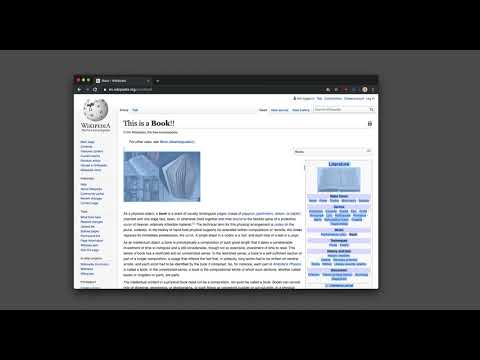
Edit any page's content by switching to design mode, where you can modify the content and drag images around like a Word Editor
This extension modifies the current page's attributes to act like a content edible document (Similar to MS Word, or Open Office). This allows the user to: 1. Edit the page content 2. Drag and drop assets 3. Remove elements that cause chaos on the page 4. Insert <div>, <pre>, <paragraph>, and heading elements. 5. Convert font styling to bold or italic. 6. Add a link to the selected text. 7. Insert bulleted and numbered lists. 8. Increase and decrease indentation. 9. Insert an image. 10. Convert selected text to a blockquote. 11. Turn spellcheck on and off. 12. Remove formatting. With this extension, you can edit the entire document and when it is ready, toggle back to the read-only mode (normal operation mode). The modified document can be printed or saved like any page. Usage Instruction: 1. To enable the extension, press the toolbar button once. When the document is editable, the toolbar button is blue, and you will get a desktop notification 2. To switch back to the normal mode, press the toolbar button one more time. In the normal mode, the toolbar color is gray. Notes: 1. You can save the modified document in HTML or MHTML or print it. To save in MHTML you will need to install an extension. 2. To change the formatting of a text into bold, select the desired section, and press Ctrl + B or Command + B. For italics, press Ctrl + I or Command + I. Alternatively, the extension inserts a helper toolbar so that you can access the rich text editing tools from a floating panel.
4.7 分 (滿分 5 分)15 個評分
詳細資料
- 版本0.2.4
- 已更新2025年2月19日
- 提供者brian.girko
- 大小64.37KiB
- 語言14 種語言
- 開發人員
電子郵件
brian.girko@gmail.com - 非交易商這位開發人員並未表明自己是交易商。歐盟地區的消費者請注意,消費者權利不適用於你和這位開發人員之間簽訂的合約。
隱私權

這位開發者就你的資料做出下列聲明:
- 除經核准的用途外,不會將你的資料販售給第三方
- 不會基於與商品核心功能無關的目的,使用或轉移資料
- 不會為了確認信用度或基於貸款目的,使用或轉移資料
支援
如有疑問或建議,請前往開發人員的支援網站