

Design Mode - Page's Rich Text Editor
15 оцінок
)
Огляд
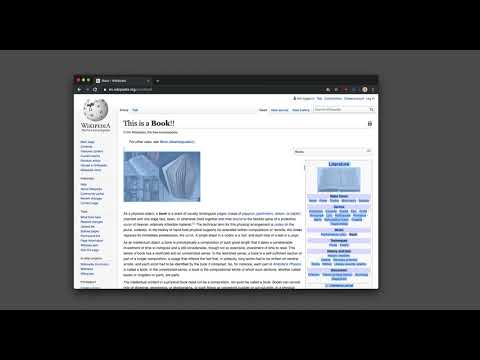
Edit any page's content by switching to design mode, where you can modify the content and drag images around like a Word Editor
This extension modifies the current page's attributes to act like a content edible document (Similar to MS Word, or Open Office). This allows the user to: 1. Edit the page content 2. Drag and drop assets 3. Remove elements that cause chaos on the page 4. Insert <div>, <pre>, <paragraph>, and heading elements. 5. Convert font styling to bold or italic. 6. Add a link to the selected text. 7. Insert bulleted and numbered lists. 8. Increase and decrease indentation. 9. Insert an image. 10. Convert selected text to a blockquote. 11. Turn spellcheck on and off. 12. Remove formatting. With this extension, you can edit the entire document and when it is ready, toggle back to the read-only mode (normal operation mode). The modified document can be printed or saved like any page. Usage Instruction: 1. To enable the extension, press the toolbar button once. When the document is editable, the toolbar button is blue, and you will get a desktop notification 2. To switch back to the normal mode, press the toolbar button one more time. In the normal mode, the toolbar color is gray. Notes: 1. You can save the modified document in HTML or MHTML or print it. To save in MHTML you will need to install an extension. 2. To change the formatting of a text into bold, select the desired section, and press Ctrl + B or Command + B. For italics, press Ctrl + I or Command + I. Alternatively, the extension inserts a helper toolbar so that you can access the rich text editing tools from a floating panel.
4,7 з 515 оцінок
Деталі
- Версія0.2.4
- Оновлено19 лютого 2025 р.
- Розробник:brian.girko
- Розмір64.37KiB
- МовиКількість мов: 14
- Розробник
Електронна пошта
brian.girko@gmail.com - Не продавецьЦей розробник не ідентифікував себе як продавець. Зверніть увагу, що права споживачів у Європейському Союзі не поширюються на контракти з цим розробником.
Конфіденційність

Цей розробник заявляє, що ваші дані:
- не продаються третім особам (за винятком дозволених випадків)
- не використовуються й не передаються для цілей, що не пов’язані з основними функціями продукту
- не використовуються й не передаються для визначення кредитоспроможності або в цілях кредитування
Підтримка
Із запитаннями, пропозиціями й проблемами звертайтеся на сайт підтримки розробника.