

Design Mode - Page's Rich Text Editor
평점 15개
)
개요
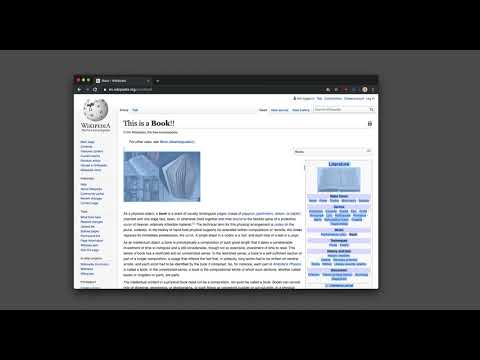
Edit any page's content by switching to design mode, where you can modify the content and drag images around like a Word Editor
This extension modifies the current page's attributes to act like a content edible document (Similar to MS Word, or Open Office). This allows the user to: 1. Edit the page content 2. Drag and drop assets 3. Remove elements that cause chaos on the page 4. Insert <div>, <pre>, <paragraph>, and heading elements. 5. Convert font styling to bold or italic. 6. Add a link to the selected text. 7. Insert bulleted and numbered lists. 8. Increase and decrease indentation. 9. Insert an image. 10. Convert selected text to a blockquote. 11. Turn spellcheck on and off. 12. Remove formatting. With this extension, you can edit the entire document and when it is ready, toggle back to the read-only mode (normal operation mode). The modified document can be printed or saved like any page. Usage Instruction: 1. To enable the extension, press the toolbar button once. When the document is editable, the toolbar button is blue, and you will get a desktop notification 2. To switch back to the normal mode, press the toolbar button one more time. In the normal mode, the toolbar color is gray. Notes: 1. You can save the modified document in HTML or MHTML or print it. To save in MHTML you will need to install an extension. 2. To change the formatting of a text into bold, select the desired section, and press Ctrl + B or Command + B. For italics, press Ctrl + I or Command + I. Alternatively, the extension inserts a helper toolbar so that you can access the rich text editing tools from a floating panel.
5점 만점에 4.7점평점 15개
세부정보
- 버전0.2.4
- 업데이트됨2025년 2월 19일
- 제공brian.girko
- 크기64.37KiB
- 언어언어 14개
- 개발자
이메일
brian.girko@gmail.com - 비판매자판매자로 식별되지 않은 개발자입니다. 유럽 연합에 거주하는 소비자의 경우, 이 개발자와 체결한 계약에 대해서는 소비자 권리가 적용되지 않을 수 있음을 유의해야 합니다.
개인정보 보호

개발자가 사용자 데이터에 관해 다음과 같이 선언했습니다
- 승인된 사용 사례를 제외하고 서드 파티에 판매하지 않음
- 항목의 핵심 기능과 관련 없는 목적으로 사용하거나 전송하지 않음
- 신용도 판단 또는 대출 목적으로 사용하거나 전송하지 않음
지원
질문, 제안 또는 문제와 관련하여 도움이 필요하시면 개발자의 지원 사이트를 방문하세요.