

Design Mode - Page's Rich Text Editor
15 rating
)
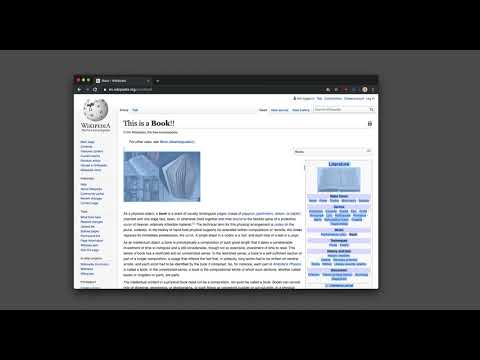
Gambaran keseluruhan
Edit any page's content by switching to design mode, where you can modify the content and drag images around like a Word Editor
This extension modifies the current page's attributes to act like a content edible document (Similar to MS Word, or Open Office). This allows the user to: 1. Edit the page content 2. Drag and drop assets 3. Remove elements that cause chaos on the page 4. Insert <div>, <pre>, <paragraph>, and heading elements. 5. Convert font styling to bold or italic. 6. Add a link to the selected text. 7. Insert bulleted and numbered lists. 8. Increase and decrease indentation. 9. Insert an image. 10. Convert selected text to a blockquote. 11. Turn spellcheck on and off. 12. Remove formatting. With this extension, you can edit the entire document and when it is ready, toggle back to the read-only mode (normal operation mode). The modified document can be printed or saved like any page. Usage Instruction: 1. To enable the extension, press the toolbar button once. When the document is editable, the toolbar button is blue, and you will get a desktop notification 2. To switch back to the normal mode, press the toolbar button one more time. In the normal mode, the toolbar color is gray. Notes: 1. You can save the modified document in HTML or MHTML or print it. To save in MHTML you will need to install an extension. 2. To change the formatting of a text into bold, select the desired section, and press Ctrl + B or Command + B. For italics, press Ctrl + I or Command + I. Alternatively, the extension inserts a helper toolbar so that you can access the rich text editing tools from a floating panel.
4.7 daripada 515 rating
Butiran
- Versi0.2.4
- Dikemas kini19 Februari 2025
- Ditawarkan olehbrian.girko
- Saiz64.37KiB
- Bahasa14 bahasa
- Pembangun
E-mel
brian.girko@gmail.com - Bukan pedagangPembangun ini masih belum mengenal pasti dirinya sebagai pedagang. Untuk pengguna dalam Kesatuan Eropah, harap maklum bahawa hak pengguna tidak digunakan pada kontrak antara anda dengan pembangun ini.
Privasi

Pembangun ini mengisytiharkan bahawa data anda
- Tidak dijual kepada pihak ketiga, di luar kes penggunaan yang diluluskan
- Tidak digunakan atau dipindahkan untuk tujuan yang tidak berkaitan dengan fungsi teras item
- Tidak digunakan atau dipindahkan untuk menentukan kepercayaan kredit atau untuk tujuan pemberian pinjaman
Sokongan
Untuk mendapatkan bantuan berkenaan dengan pertanyaan, cadangan atau masalah, lawati laman sokongan pembangun