


Overview
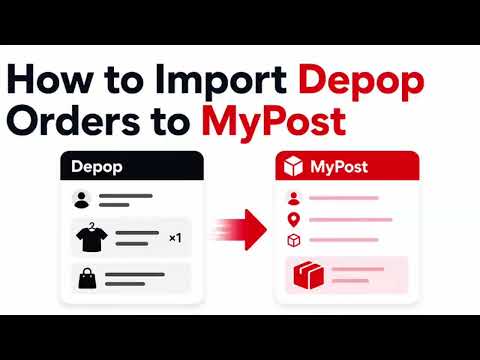
Import a Depop sold order into Australia Post MyPost Business.
Before you start: 1. Login into MyPost Business on a separate tab. 2. Make sure you have added a default "Send from" address via https://auspost.com.au/mypost-business/shipping-and-tracking/address-book/senders. How to use Depop to MyPost Business Importer? 1. Install the extension in Chrome and pin it to your toolbar. 2. Sign in to Depop and MyPost Business in the same Chrome browser. 3. Open an order in Depop Seller Hub under Sold items and wait for its details to load. 4. Click the extension icon. Check that the displayed order reference matches your order. 5. Click “Import to MyPost Business.” A new tab will open with the recipient’s name, email, address, and order reference filled in. 6. Review and complete the shipment. - Packaging defaults to Extra Small - change it if needed. - Dangerous goods defaults to No - confirm this is correct. - Enter parcel contents, weight, and dimensions where required. 7. Choose your delivery service and complete the shipment in MyPost Business. Order not captured? Refresh the Depop order page, wait for its details to load, then try again. Refreshing is only needed when capture was missed, such as after installing or reloading the extension. Please note: Only Australian delivery addresses are supported. The extension fills the form but does not purchase postage or submit the shipment automatically. Terms of Service: This extension provides as free and, as such, we provide no warranty or guarantee of service or uptime. Disclaimer: All copyrights belong to their respective owners. Depop and Australia Post don’t endorse or sponsor this Chrome Extension. This Chrome theme is not owned by, is not licensed by and is not a subsidiary of Depop and Australia Post.
0 out of 5No ratings
Details
- Version0.1.1
- UpdatedSeptember 5, 2026
- Size51.24KiB
- LanguagesEnglish
- DeveloperWebsite
Email
hello@ricemill.co - Non-traderThis developer has not identified itself as a trader. For consumers in the European Union, please note that consumer rights do not apply to contracts between you and this developer.
Privacy

This developer declares that your data is
- Not being sold to third parties, outside of the approved use cases
- Not being used or transferred for purposes that are unrelated to the item's core functionality
- Not being used or transferred to determine creditworthiness or for lending purposes
Support
For help with questions, suggestions, or problems, please open this page on your desktop browser