


Overview
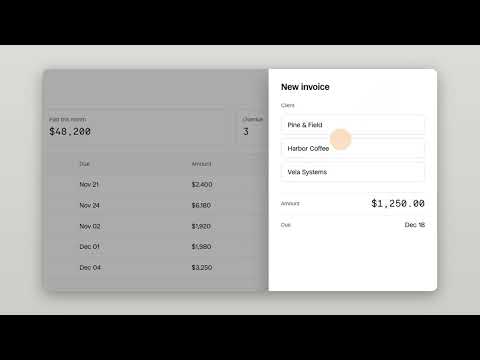
Record product demos with auto-zoom on every click. Trim and export MP4 on your computer. No account. Free for personal use.
Record a browser tab and get a demo video that looks edited. Every click moves the camera in, follows your cursor and eases back out. Then trim the take and export an MP4. Made for founders, product marketers, sales engineers, support teams and course creators: product walkthroughs, onboarding videos, tutorials, bug reports and changelog videos. HOW IT WORKS 1. Click the Demzo icon (or press Alt+Shift+R) and pick a tab. Turn on your microphone and camera if you want. 2. Use your product as usual. 3. Press Stop. The editor opens with every zoom already on the timeline. 4. Trim the start and end, pick a zoom level and background, and download the MP4. Or share a link from your own Google Drive. WHAT YOU GET • Camera moves on each click, with smooth spring motion • Cursor highlight and click ripples so viewers never lose the pointer • A clean background frame around your video • Microphone and camera bubble, recorded as separate tracks • H.264 export at 720p, 1080p, 1440p or 4K, rendered on your computer • Whole screen or window recording too (without auto-zoom) • English and Spanish PRIVATE BY DESIGN • No account or sign-up • Recording, editing and export happen on your computer. Videos never reach our servers. • Sharing is optional: Demzo uploads to your own Google Drive with the drive.file permission, which only covers files Demzo creates or that you open with it. PLANS • Free: every feature, no time limit, for personal use. Exports end with a 2-second "Made with Demzo" card. • Pro: one payment (US$39 founder price, rising later). No end card, commercial use, lifetime updates, 3 browsers. • Team: US$199 per year for up to 20 people. 14-day refund on every purchase. Website: https://demzo.app Support: support@demzo.app Privacy: https://demzo.app/privacy
0 out of 5No ratings
Details
- Version0.1.1
- UpdatedNovember 20, 2026
- FeaturesOffers in-app purchases
- Size640KiB
- Languages2 languages
- Developer
- Non-traderThis developer has not identified itself as a trader. For consumers in the European Union, please note that consumer rights do not apply to contracts between you and this developer.
Privacy

Demzo — Auto-Zoom Screen Recorder for Demos has disclosed the following information regarding the collection and usage of your data. More detailed information can be found in the developer's privacy policy.
Demzo — Auto-Zoom Screen Recorder for Demos handles the following:
This developer declares that your data is
- Not being sold to third parties, outside of the approved use cases
- Not being used or transferred for purposes that are unrelated to the item's core functionality
- Not being used or transferred to determine creditworthiness or for lending purposes
Support
For help with questions, suggestions, or problems, visit the developer's support site