


Overview
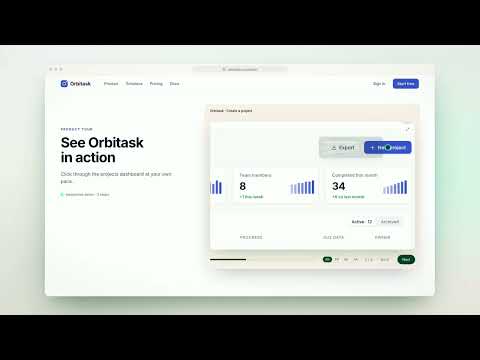
Record a walkthrough of your web app: every click becomes a step with a screenshot and a hotspot in DemoFlows.
Turn a click-through of your product into an interactive demo in minutes. DemoFlows Recorder captures your product as you use it. Every click becomes a step: a screenshot of the page, a hotspot on the exact spot you clicked, and a step title taken from the button or link. When you finish, your demo opens in the DemoFlows editor, ready to polish, share as a link or embed on your website. No video editing, no stitching screenshots together by hand, no re-recording because you clicked the wrong thing. HOW IT WORKS 1. Connect the extension to your DemoFlows account (one click). 2. Open the page you want to show and click "Start recording". 3. Click through your product as usual. A small toolbar lets you pause, resume, finish or discard. 4. Click "Finish": your demo opens in the editor with every step in place. WHY TEAMS USE IT • Faster than screenshots: a 10-step demo takes as long as clicking through it once. • Hotspots in the right place: each step is anchored to where you actually clicked. • Works across pages: recording continues when your app loads a new page. • Edit everything afterwards: rewrite titles and text, move hotspots, reorder or delete steps in the DemoFlows editor. • Share anywhere: publish a link or embed the interactive demo on your website, docs or help center. Great for product tours on your website, sales demos, onboarding guides, feature announcements and help-center walkthroughs. PRIVACY BUILT IN • Nothing is captured unless you start a recording, and only in the tab you chose. • What you type is never recorded. • Password, credit-card and one-time-code fields are blurred automatically before anything leaves your browser. Add the data-demoflows-blur attribute to any element to blur it too. • Screenshots stay on your computer until you click Finish. Discard a recording and nothing is uploaded. • The recorder's toolbar is hidden from every screenshot. ABOUT THE PERMISSION The first time you record, Chrome asks to let the extension "read and change data on websites". That's needed to take screenshots of the pages you record and to keep recording when a page loads a new one. The extension does nothing on a page unless you're recording it. REQUIREMENTS A DemoFlows account (sign in with Google or GitHub at demoflows.app). Your demos count toward your plan, the same as demos created by uploading screenshots, which still works too.
0 out of 5No ratings
Details
- Version0.1.0
- UpdatedNovember 22, 2026
- Size27.07KiB
- LanguagesEnglish (United States)
- DeveloperWebsite
Email
contact@demoflows.app - Non-traderThis developer has not identified itself as a trader. For consumers in the European Union, please note that consumer rights do not apply to contracts between you and this developer.
Privacy

DemoFlows Recorder has disclosed the following information regarding the collection and usage of your data. More detailed information can be found in the developer's privacy policy.
DemoFlows Recorder handles the following:
This developer declares that your data is
- Not being sold to third parties, outside of the approved use cases
- Not being used or transferred for purposes that are unrelated to the item's core functionality
- Not being used or transferred to determine creditworthiness or for lending purposes