

Delete Duplicates from Google Photos — CDF

Overview
Quickly identify and remove duplicate photos from Google Photos to free up storage and keep your photo library clean and organized.
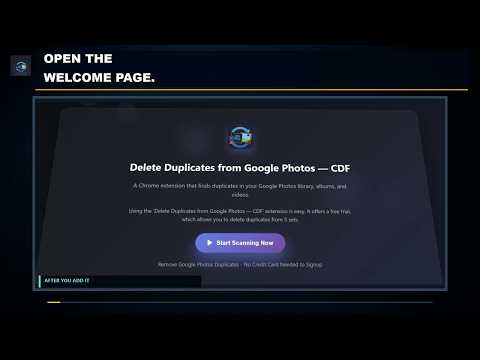
Find and review duplicate photos in Google Photos without downloading your library or exporting it with Google Takeout. Delete Duplicates from Google Photos — CDF is a Chrome extension that scans the Google Photos view you currently have open, groups duplicate and visually similar items, and helps you bulk-select the extras for removal. You remain in control: the extension prepares the selection, but only you can confirm Move to trash in Google Photos. SCAN A FOCUSED GOOGLE PHOTOS VIEW For faster, more focused results, open a specific album or use Google Photos search to filter by a date, person, or event before starting the scan. The extension reads the media tiles loaded in that view and compares them in Chrome. It does not crawl your entire Google Photos library through an official Google Photos API, so scanning smaller, focused views is recommended. ADJUST THE SIMILARITY LEVEL Choose a similarity threshold from 50% to 100%. The default is 80%. A lower threshold can produce broader groups of visually similar photos. A higher threshold looks for closer matches. Review every group before selecting anything for removal. REVIEW AND BULK-SELECT DUPLICATE SETS Results are organized into duplicate sets so you can compare the items together. You can: • Bulk-select extras across multiple duplicate sets • Select one set or adjust individual Delete checkboxes • Switch between Medium, Large, and Extra Large thumbnails • Open a photo in a larger preview • Review available dates, sizes, and match percentages When videos appear in the scanned view, they are compared using their poster thumbnails rather than frame-by-frame video analysis. CHOOSE WHAT TO KEEP Use one of the available selection strategies: • Keep Best • Keep Newest • Keep Oldest • Keep Low Resolution • Keep High Resolution These strategies prepare a bulk selection for your review. Keep Best is a suggestion based on the available information, not a guarantee of image quality. You can change any Delete checkbox before continuing. YOU CONFIRM THE FINAL TRASH ACTION After reviewing the selected extras, choose Proceed for Deletion. The extension bulk-selects those items in the Google Photos interface. You then complete the process yourself by clicking the Google Photos Trash icon or choosing More → Move to trash. The extension does not automatically empty Trash or permanently delete your photos. FREE TRIAL AND SUBSCRIPTION ACCESS The free trial lets you select duplicates from up to 5 sets, one time. Already have an active Cloud Duplicate Finder subscription? Enter the account email in the extension and choose Apply Subscription to check your access. An eligible account can process more than five sets. PRIVACY AND CONTROL Visual comparison takes place in Chrome using the media available in the Google Photos view you opened. The extension does not create a separate CDF photo library or send your photo contents to the subscription-check service. If you choose Apply Subscription, the email you enter is sent to Cloud Duplicate Finder to verify the subscription. Scan results and extension state may be stored in your browser to support the workflow. Nothing is moved to Trash until you review the results and confirm the action in Google Photos. Delete Duplicates from Google Photos — CDF is an independent extension and is not affiliated with or endorsed by Google.
3 out of 52 ratings
Details
- Version1.0.1
- UpdatedOctober 3, 2026
- Size235KiB
- LanguagesEnglish (United States)
- DeveloperSORCIM Technologies pvt ltdWebsite
Address: F, Y-11, Block 11, ISD, Sector F DHA Phase 1, Islamabad, 46000 Rawalpindi 44000 PKEmail
info@sorcim.com - Non-traderThis developer has not identified itself as a trader. For consumers in the European Union, please note that consumer rights do not apply to contracts between you and this developer.
Privacy

Delete Duplicates from Google Photos — CDF has disclosed the following information regarding the collection and usage of your data. More detailed information can be found in the developer's privacy policy.
Delete Duplicates from Google Photos — CDF handles the following:
This developer declares that your data is
- Not being sold to third parties, outside of the approved use cases
- Not being used or transferred for purposes that are unrelated to the item's core functionality
- Not being used or transferred to determine creditworthiness or for lending purposes
Support
For help with questions, suggestions, or problems, please open this page on your desktop browser