

Deki: Freestyle Flashcards + AI
11 valoraciones
)
Descripción general
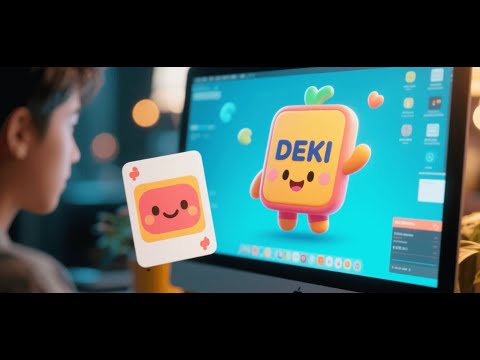
Floating flashcards: side panel, popup, or standalone. Generate AI prompts, review your way. Ad-free, offline-first. Learn anything.
⚡ DEKI: Micro-Learning and Active Recall Integrated into Your Workflow DEKI is a lightweight, privacy-first Chrome extension that eliminates the friction of context switching for students, professionals, and lifelong learners. It redefines flashcards by blending seamless study directly into your routine—allowing you to learn while browsing, watching videos, working on any desktop application. Unlike traditional, rigid learning tools, DEKI offers unmatched flexibility: capture knowledge instantly from any webpage, generate powerful AI-driven study prompts, manage your decks privately and offline, and review only when it fits your flow. Learn naturally while you browse, work, or relax—DEKI adapts to your lifestyle, not the other way around. Visit "Tips & Tricks" section (Chat icon 💬 > Tips & Tricks) to learn more about using the app. For v1.17: Configure or enable/disable the AI options used in the AI contextual explain feature by going to Settings > Profile > AI Contextual Explain. We have a large backlog of exciting features planned for you. Stay tuned! ━━━━━━━━━━━━━━━━━━━━━━━━━━━━━━━━━━━━ Why Choose DEKI? (Scroll down for quick links) 📌 Study Anywhere — Pin flashcards on your screen with a YouTube-like control bar. Flip, navigate, listen, mark as learned, or star cards without leaving your current tab. 🎨 Custom Card Layouts — Mix text, images, and highlights however you want — front, back, or both sides. ⚙️ Custom Playback Modes: Choose card-by-card or front-then-back, and adjust speed. 🌸 Instant Text Capture: Highlight text on any webpage to get AI explanations or convert to a flashcard instantly. 🧠 AI-Powered Learning: Generate mnemonics, quizzes, or memory devices using your preferred AI (ChatGPT, Claude, Gemini, etc.). 🔍 Effortless Deck Management — Dynamic search, filter by starred/learned cards, and drag-and-drop terms on the fly. 📚 Flexible Quiz Scheduling — Review quizzes on your schedule, not a forced algorithm. Smart Shuffle prioritizes less-reviewed cards for balanced learning. 🎧 Multilingual Audio: Assign text-to-speech localizations per term or definition for authentic pronunciation. 🖼️ Easy Image Integration — Paste image URLs from anywhere online (no uploads needed) and adjust visibility on either card side. 🔄 Seamless Import/Export — Share decks with terms, definitions, images, and localized text-to-speech data. 💤 Non-Intrusive Reminders — Gentle idle alerts keep you on track without disrupting your flow. 🎨 Customizable UI — Light/dark themes and multilingual UI for comfort or immersion in your target language. ⚡ Privacy-First: 100% offline, local storage, no ads, no tracking—your data stays yours. ━━━━━━━━━━━━━━━━━━━━━━━━━━━━━━━━━━━━ 🌟 Get Started 1. Click “Add to Chrome” to install DEKI. 2. Open the side panel via the DEKI toolbar icon. 3. Create or import your first flashcard set. 4. Choose your window mode and start learning—anywhere, anytime! ━━━━━━━━━━━━━━━━━━━━━━━━━━━━━━━━━━━━ 📌 Quick Links: → Landing Page & Full Guide: https://deki.vercel.app/ → Latest Release Notes: https://deki.vercel.app/#releasenotes → Promo Video: https://youtu.be/mCGkbBHRGsA 📚 Tutorials: • Core Features - https://youtu.be/Wbse_Y51uSE • Learn Mode - Build Understanding - https://youtu.be/IXAVuB6tht8 • Quiz Mode - Quiz Yourself & Review - https://youtu.be/SczknLywj3s 📚 Full Documentation: https://deki.vercel.app/#docs 💬 Support: deki.help@gmail.com SUPPORT DEKI — KEEP IT AD-FREE https://buymeacoffee.com/nghile 👋 Connect With Us: → Follow on Facebook: https://www.facebook.com/profile.php?id=61583933960734 → Subscribe on YouTube: https://www.youtube.com/@deki-app ━━━━━━━━━━━━━━━━━━━━━━━━━━━━━━━━━━━━ We’re continuously rolling out updates and new features. Stay tuned for what’s next! Learn while you live. That’s the DEKI way. ━━━━━━━━━━━━━━━━━━━━━━━━━━━━━━━━━━━━ Deki currently supports over 80 Text-to-Speech languages and offers the following user interface (UI) languages: English, 中文 (Chinese), हिन्दी (Hindi), Español (Spanish), العربية (Arabic), Português (Portuguese), Русский (Russian), 日本語 (Japanese), Deutsch (German), 한국어 (Korean), Français (French), Tiếng Việt (Vietnamese), Türkçe (Turkish), Bahasa Indonesia (Indonesian), Italiano (Italian), ไทย (Thai), Polski (Polish), Nederlands (Dutch), Svenska (Swedish), Ελληνικά (Greek), עברית (Hebrew), Suomi (Finnish).
5 de 511 valoraciones
Detalles
- Versión1.20
- Actualizado7 de enero de 2026
- FuncionesOfrece compras en aplicaciones
- Ofrecido porNghi Le
- Tamaño5.78MiB
- Idiomas22 idiomas
- DesarrolladorNghi Le Vinh
Notkokuja, Helsinki, Finland Helsinki 00700 FICorreo electrónico
deki.help@gmail.comTeléfono
+358 50 3508323 - OperadorEste desarrollador se ha identificado como operador según la definición de la Unión Europea y se ha comprometido a ofrecer solo productos o servicios que cumplan las leyes de la UE.
Privacidad

Este desarrollador declara que tus datos:
- No se venden a terceros, excepto en los casos de uso aprobados
- No se usan ni se transfieren para fines no relacionados con la función principal del elemento.
- No se usan ni se transfieren para determinar la situación crediticia ni para ofrecer préstamos.
Ayuda
Si tienes alguna pregunta, sugerencia o problema, visita el sitio de asistencia del desarrollador.