

ClickDeck
4 ratings
)
Overview
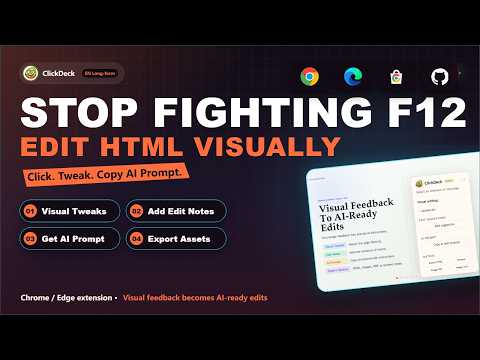
Visually fine-tune the current HTML page and export it.
Visually fine-tune the current HTML page and export it. ClickDeck is a lightweight Chrome/Edge extension for editing browser-rendered HTML pages without opening DevTools. It works well for AI-generated pages, HTML presentations, reports, proposals, and other pages you want to polish directly in the browser. Core features: - Edit text in place and adjust font size, weight, spacing, alignment, and color - Replace images and make quick visual polish changes without touching source code - Add visual edit suggestions directly on the page, including move/remove notes and region-based intent marking - Use undo/redo with a draggable, collapsible control panel - Export the edited page as an HTML snapshot, long image, or image-based PDF - Generate structured edit and review prompts from your visual changes for coding AI or browser AI handoff ClickDeck is built for visual fine-tuning and review handoff on the current page. It is not a free-form design canvas and does not write changes back to your source files automatically.
4.8 out of 54 ratings
Details
- Version1.3.6
- UpdatedAugust 10, 2026
- Offered byningseeingtheworld
- Size132KiB
- Languages2 languages
- Developer
Email
ningseeingtheworld@gmail.com - Non-traderThis developer has not identified itself as a trader. For consumers in the European Union, please note that consumer rights do not apply to contracts between you and this developer.
Privacy

This developer declares that your data is
- Not being sold to third parties, outside of the approved use cases
- Not being used or transferred for purposes that are unrelated to the item's core functionality
- Not being used or transferred to determine creditworthiness or for lending purposes
Support
For help with questions, suggestions, or problems, visit the developer's support site